Door Kickers 2: Task Force North Cheat Codes – PC

Select your platform and your letter

Door Kickers 2: Task Force North Cheat Codes

Cheat codes for Door Kickers 2: Task Force North on PC, listed below with how to enter them. Updated April 27, 2025 · 3,633 downloads.

PC
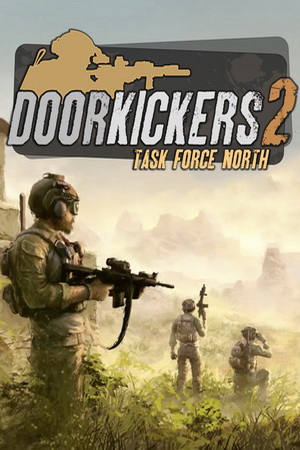
Door Kickers 2: Task Force North cover
Advertisement
Cheat codes only

This article contains cheat codes only. No file to download.

Information
  • Author: DAV
  • Downloads: 3,633
  • Updated:

Cheat Codes

Door Kickers 2: Task Force North

Cheat Codes:
------------
Submitted by: David K.

Increase Squad Size:
--------------------
The CIA squad size makes for a fun challenge, but some missions just
aren't quite doable due to that small size. With this guide you can
fix that.

-=How to do it=-
1.Find your steam install folder for Door Kickers 2.
- You can right click on DK2 in your library, hit properties, and
find that install location. Once you have that, copy it.
- You can also find the install location with the search toolbar
in windows explorer, searching for DoorKickers2

- For me, this is the address:
X:\SteamLibrary\steamapps\common\DoorKickers2\

If it's installed on your C:\ drive, it may be C:\Program Files\SteamLibrary
or similar. Again, checking install location will tell you where it is.

2.Find the right folder in the install directory.
- Full address for me:
X:\SteamLibrary\steamapps\common\DoorKickers2\data\units
- Once in the main DoorKickers2 folder, go to the data folder,
then the units folder.

3.Open the units xml file. You can use many tools for this, the built-in
Notepad text editor can do the job here, I'm using Notepad++ in mine as
it has line numbers.

4.Go down to line 133 (if you have line numbers on your text editor), or
simply search CIA or numSlots="2" on the file.

-> You are looking for this section:


5.Change the numSlots="2" to a larger number. That is, change numSlots="2"
to numSlots="8" or similar.

You want to do this on line 133 and 134, as 133 is for Undercover Operatives:


-> And 134 is for Black Ops guys:


You can tell which is which by the Class name = entry. You do not need to make
them have the same number of slots, you can change them up however you like it.
Maybe you want to stick with 2 Undercover operatives, and have 12 Black Ops guys
to back them up.

6.Save file and exit.

7.Start game and create a new CIA squad. On starting the game, on the main screen,
there is a large "SQUADS" button on the top right. Click it. Then at the bottom of
the menu it opens, click "NEW" and cycle through the options with the arrows until
it shows the blue CIA Squad icon.

Existing squads do not seem to work right for me with this change, so create a new
one. This will properly generate characters for all the slots. Otherwise you get
these weird unselectable dead slots. If you like use an XP farm (check Steam Workshop)
to upgrade your characters to the performance levels of your current squads.

Note: Altering the numSlots value can be done for the Rangers and Nowhereaki SWAT
guys as well. If you want to run the Ranger Squad with 12 Grenadiers and 12 Snipers,
you can do that, but you will, again, need to create a new squad to do so.

How to use Door Kickers 2: Task Force North Cheat Codes cheat codes on PC

For Door Kickers 2: Task Force North Cheat Codes on PC, the cheat codes listed above are used directly in-game — no trainer or third-party software required. Depending on the game, open the developer console (often with the ~, ` or Esc key), type the code shown and press Enter, or use the key combination specified during gameplay. Some codes require enabling cheat mode in the game's settings first. Make sure your game version matches the one the codes were tested on.

FAQ

No. These codes are built into the game and are entered via the console command or a key combination — no trainer or third-party software needed.

In most cases, no. These codes are for single-player / offline use only and may be disabled or get you banned online.

Check that your game version matches the one the code was tested on, that the console or cheat mode is enabled in the game's settings, and that you're entering the code with the exact spelling shown.

Often, yes. Activating a cheat code usually disables achievements for the current session. Save your game before entering a code if you want to keep your trophies.
Still not working? Visit our help page for further assistance.
Comments
Become a Patron!
Comments only in English or French or comments will be removed!


Become a Patron!







