Door Kickers 2: Task Force North Cheat Codes – PC

Sélectionnez votre plateforme et votre lettre

Door Kickers 2: Task Force North Cheat Codes

Codes de triche pour Door Kickers 2: Task Force North sur PC, listés ci-dessous avec leur mode d'activation. Mis à jour le 27 avril 2025 · 3 628 téléchargements.

PC
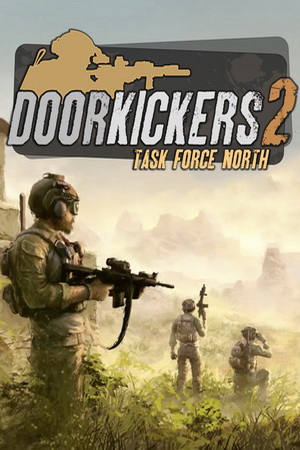
Jaquette de Door Kickers 2: Task Force North
Publicité
Codes de triche uniquement

Cet article contient uniquement des codes de triche. Aucun fichier à télécharger.

Informations
  • Auteur : DAV
  • Téléchargements : 3,628
  • Mise à jour :

Codes de triche

Door Kickers 2: Task Force North

Cheat Codes:
------------
Submitted by: David K.

Increase Squad Size:
--------------------
The CIA squad size makes for a fun challenge, but some missions just
aren't quite doable due to that small size. With this guide you can
fix that.

-=How to do it=-
1.Find your steam install folder for Door Kickers 2.
- You can right click on DK2 in your library, hit properties, and
find that install location. Once you have that, copy it.
- You can also find the install location with the search toolbar
in windows explorer, searching for DoorKickers2

- For me, this is the address:
X:\SteamLibrary\steamapps\common\DoorKickers2\

If it's installed on your C:\ drive, it may be C:\Program Files\SteamLibrary
or similar. Again, checking install location will tell you where it is.

2.Find the right folder in the install directory.
- Full address for me:
X:\SteamLibrary\steamapps\common\DoorKickers2\data\units
- Once in the main DoorKickers2 folder, go to the data folder,
then the units folder.

3.Open the units xml file. You can use many tools for this, the built-in
Notepad text editor can do the job here, I'm using Notepad++ in mine as
it has line numbers.

4.Go down to line 133 (if you have line numbers on your text editor), or
simply search CIA or numSlots="2" on the file.

-> You are looking for this section:


5.Change the numSlots="2" to a larger number. That is, change numSlots="2"
to numSlots="8" or similar.

You want to do this on line 133 and 134, as 133 is for Undercover Operatives:


-> And 134 is for Black Ops guys:


You can tell which is which by the Class name = entry. You do not need to make
them have the same number of slots, you can change them up however you like it.
Maybe you want to stick with 2 Undercover operatives, and have 12 Black Ops guys
to back them up.

6.Save file and exit.

7.Start game and create a new CIA squad. On starting the game, on the main screen,
there is a large "SQUADS" button on the top right. Click it. Then at the bottom of
the menu it opens, click "NEW" and cycle through the options with the arrows until
it shows the blue CIA Squad icon.

Existing squads do not seem to work right for me with this change, so create a new
one. This will properly generate characters for all the slots. Otherwise you get
these weird unselectable dead slots. If you like use an XP farm (check Steam Workshop)
to upgrade your characters to the performance levels of your current squads.

Note: Altering the numSlots value can be done for the Rangers and Nowhereaki SWAT
guys as well. If you want to run the Ranger Squad with 12 Grenadiers and 12 Snipers,
you can do that, but you will, again, need to create a new squad to do so.

Comment utiliser les codes de triche Door Kickers 2: Task Force North Cheat Codes sur PC

Pour Door Kickers 2: Task Force North Cheat Codes sur PC, les codes de triche listés ci-dessus s'utilisent directement en jeu, sans trainer ni logiciel tiers. Selon le jeu, ouvrez la console de commandes (souvent via la touche ², ~ ou Échap), saisissez le code indiqué puis validez avec Entrée, ou utilisez la combinaison de touches précisée pendant la partie. Certains codes nécessitent d'activer au préalable le mode triche dans les options du jeu. Vérifiez que votre version du jeu correspond à celle pour laquelle les codes ont été testés.

FAQ

Non. Ces codes sont intégrés au jeu et s'activent via la console de commandes ou une combinaison de touches, sans trainer ni logiciel tiers à télécharger.

Non, dans la grande majorité des cas. Ces codes sont réservés au mode solo / hors ligne et peuvent être désactivés ou bannis en ligne.

Vérifiez que votre version du jeu correspond à celle pour laquelle le code a été testé, que la console de commandes ou le mode triche est bien activé dans les options, et que vous respectez l'orthographe exacte du code.

Souvent oui. L'activation d'un code de triche désactive généralement les succès pour la session en cours. Sauvegardez votre partie avant d'entrer un code si vous souhaitez conserver vos trophées.
Ça ne fonctionne toujours pas ? Consultez notre page d'aide pour plus d'assistance.
Commentaires
Become a Patron!
Commentaires uniquement en anglais ou en français ou vos commentaires seront supprimés !


Become a Patron!








