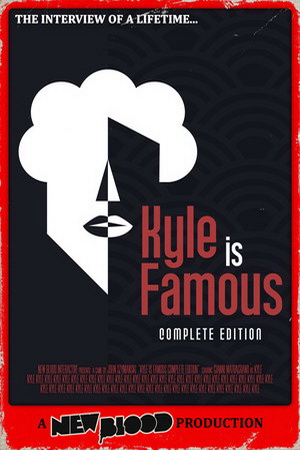
Cheat codes for Kyle is Famous on PC, listed below with how to enter them. Updated April 19, 2022 · 1,745 downloads.
PC
Advertisement
Cheat codes only
This article contains cheat codes only. No file to download.
Information
Author:DAV
Downloads:
1,745
Updated:
Cheat Codes
Cheat Codes:
------------
Submitted by: David K.
All Commands & Property Tags:
-----------------------------
Written By pluberski
Here is a full list of all commands and property tags.
Full List of All Commands/Property Tags
"”"”"”"”"”"”"”"”"”"”"”"”"”"”"”"”"”"”"”"”"“
Commands
"”"”"”"”"”"”"”"”"”"”"”"”"”"”"”"”"”"”"”"”"“
{navigate sectionName}
Changes the player to be in the section named sectionName
{end EndingID Text That Will Show. . .}
End the run through your story, setting EndingID in storage,
and displaying Text That Will Show. . .
{set VarName value}
Set a variable to value (e.g. 0, 1, 99) in temporary storage.
{store VarName value}
Set a variable to value (e.g. 0, 1, 99) in permanent storage.
{sound soundID}
Plays a sound with soundID (see below for a list of all possible sounds)
{item itemID}
Gives the player an item and automatically sets a variable that is associated
with that item (see below for a full list of items and their variables).
{remove item itemID}
Removes a single instance of itemID from the player's inventory.
{guion}
Shows all the GUI elements.
{guioff}
Hides all the GUI elements.
{location text}
Sets the location text to whatever "text" is.
{add varname num} {subtract varname num} {multiply varname num} {divide varname num}
Perform math operations on a variable.
{addstore varname num} {subtractstore varname num} {multiplystore varname num}
{dividestore varname num}
Perform math operations on a variable in permanent storage.
{varname}
Add this inline in normal text to print out the value of a variable.
"”"”"”"”"”"”"”"”"”"”"”"”"”"”"”"”"”"”"”"”"“
Property Tags
"”"”"”"”"”"”"”"”"”"”"”"”"”"”"”"”"”"”"”"”"“
time=number
Sets how much time there is in your story. Use -1 if you want to disable the timer.
timerunoutsection=sectioname
Sets what section should be navigated to when the timer runs out.
title=name
Sets the title of your story!
previewimage=imagedir
Sets the preview image directory when uploaded to the Workshop. T
his line is stripped out in the version that the players download.
description=desc
Sets the description of your story!
tags=tag1,tag2
Sets the tags that will be used on Steamworks if uploaded
resetgoesto=sectionname
Sets which section the "Reset" button should go to in your story.
untiltext=text
Sets the text reading "Time Until End" at the bottom of the screen to "text."
hourstext=text
Sets the text reading "hours" at the bottom of the screen to "text."
How to use Kyle is Famous Cheat Codes cheat codes on PC
For Kyle is Famous Cheat Codes on PC, the cheat codes listed above are used directly in-game — no trainer or third-party software required. Depending on the game, open the developer console (often with the ~, ` or Esc key), type the code shown and press Enter, or use the key combination specified during gameplay. Some codes require enabling cheat mode in the game's settings first. Make sure your game version matches the one the codes were tested on.
FAQ
No. These codes are built into the game and are entered via the console command or a key combination — no trainer or third-party software needed.
In most cases, no. These codes are for single-player / offline use only and may be disabled or get you banned online.
Check that your game version matches the one the code was tested on, that the console or cheat mode is enabled in the game's settings, and that you're entering the code with the exact spelling shown.
Often, yes. Activating a cheat code usually disables achievements for the current session. Save your game before entering a code if you want to keep your trophies.
Still not working? Visit our help page for further assistance.