Gears of War: E-Day Trainer +12 – PC

Select your platform and your letter

Gears of War: E-Day Trainer +12

Gears of War: E-Day Trainer +12 is a free PC trainer for Gears of War: E-Day, made by Cheat Happens. It adds 12 cheat options, listed below. Updated October 2, 2026 · 6,231 downloads · single-player use only.

PC
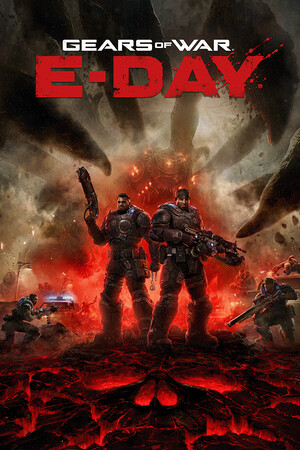
Gears of War: E-Day cover
Advertisement
REQUIRED CONDITIONS
This box must be checked to enable download.
5 seconds before download...
File: 83796_promo_chaio.zip
143.61 KB SHA-1: 47df51ce…c83713eb
Information
  • Author: CHA
  • Downloads: 6,231
  • Updated:
  • Size: 143.61 KB
  • SHA-1: 47df51ce645a7f975ce1b8ad7116765ac83713eb
Full Version

Unlock more options and updates in the complete trainer of Gears of War: E-Day Trainer at Cheat Happens!

Already have Aurora? Open this trainer in Aurora and start cheating now!!

Text Files (.txt)

Gears of War E-Day.txt
Gears of War E-Day by cheathappens.com ------------------------------------------------------- Activating this trainer ------------------------------------------------------- If not state otherwise below, press F1 at main menu. Listen for 'Trainer Activated'. Press desired hotkey. All hotkeys can be changed on the trainer. Trainer Options ------------------------------------------------------- # Player NumPad1: Unlimited Health NumPad2: Unlimited Team Health NumPad3: Weak Enemies NumPad4: Unlimited Ammo NumPad5: No Reload NumPad6: Unlimited Grenades and Gorehook NumPad7: No Recoil NumPad8: Super Accuracy NumPad9: No Gun Overheat Multiply: Perfect Reloads Add: Rapid Fire Separator: Game Speed Notes ------------------------------------------------------- Trainer is for CAMPAIGN and SOLO PLAY. Likely due to the way the game works and the anticheat module, you won't be able to use trainers and mods and play with or against others. This game comes with a kernel level, operating system modifying anti cheat called EASY ANTI CHEAT. To be able to use the trainer, you need to use the included launcher and run it. The Launcher will give you prompts. But basically you run the launcher, then run the game through Steam then once the game starts, you can go back to the Launcher window and press ENTER to close the launcher. The Launcher can be run from anywhere. Again, run the launcher, leave it open, run the game through your ......


...You will find the rest of this information in: Gears of War E-Day.txt
if you download this file: 83796_promo_chaio.zip
Trainers City

Information Files (.nfo)

Name of the file: Trainers.nfo


█▓▓▓▓▓▓▓▓▓▓▓▓▓▓▓▓▓▓▓▓▓▓▓▓▓▓▓▓▓▓▓▓▓▓▓▓▓▓▓▓▓▓▓▓▓▓▓▓▓▓▓▓▓▓▓▓▓▓▓▓▓▓▓▓▓▓▓▓▓▓▓▓▓▓▓█ █▓▒▒▒▓█████▓█████▓█████▓█▓█▓▓▓█▓█████▓█████▓█████▓▓▓▓████▓█▓█████▓█▓▓▓█▓▒▒▒▓█ █▓▒ ▓▓▓█▓▓▓█▓▓▓█▓█▓▓▓█▓█▓██▓▓█▓█▓▓▓▓▓█▓▓▓█▓█▓▓▓▓▓▓▓▓█▓▓▓▓█▓▓▓█▓▓▓▓█▓█▓▓ ▒▓█ █▓ ▓▓▓█▓▓▓█████▓█████▓█▓█▓█▓█▓████▓▓█████▓█████▓██▓█▓▓▓▓█▓▓▓█▓▓▓▓▓█▓▓▓ ▓█ █▓▒ ▓▓▓█▓▓▓█▓▓█▓▓█▓▓▓█▓█▓█▓▓██▓█▓▓▓▓▓█▓▓█▓▓▓▓▓▓█▓▓▓▓█▓▓▓▓█▓▓▓█▓▓▓▓▓█▓▓▓ ▒▓█ █▓▒▒▒▓▓▓█▓▓▓█▓▓▓█▓█▓▓▓█▓█▓█▓▓▓█▓█████▓█▓▓▓█▓█████▓▓▓▓████▓█▓▓▓█▓▓▓▓▓█▓▓▓▒▒▒▓█ █▓▓▓▓▓▓▓▓▓▓▓▓▓▓▓▓▓▓▓▓▓▓▓▓▓▓▓▓▓▓▓▓▓▓▓▓▓▓▓▓▓▓▓▓▓▓▓▓▓▓▓▓▓▓▓▓▓▓▓▓▓▓▓▓▓▓▓▓▓▓▓▓▓▓▓█ █▓▓▓▓░░░ Trainers City ░░░▓▓▓▓▓█ █▓▒▒▒ - The Bible Trainers - ▒▒▒▓█ █ ■■■■■■■■■■ ■■■■■■■■■■ █ █ █ █ This trainer doesn't work with your game? █ █ Read the FAQ or write to the author! █ █ https://www.trainerscity.com/en/help (In English) █ █ https://www.trainerscity.com/fr/help (In French) █ █ █ █ ■■■■■■■■■■ ■■■■■■■■■■ █ █ █ █ Try the forums of Trainers City in French and......

...You will find the rest of this information in: Trainers.nfo,
if you download this file: 83796_promo_chaio.zip
Trainers City


How to use this trainer for Gears of War: E-Day Trainer +12

To activate the Gears of War: E-Day Trainer +12 trainer, start your game first. Once in-game (main menu or in a session), run the trainer file as Administrator (right-click → Run as Administrator). The trainer control panel opens: each option (infinite health, unlimited ammo, resources, etc.) is toggled with the keyboard hotkey shown. If the trainer doesn't connect to the game, try launching it before the game, or verify that your game version matches the one specified in the file name.

FAQ

No, this is a common false positive. PC trainers work by injecting code into the game's memory, which looks technically similar to malware behavior. Every file published on Trainers City is manually verified before release. If in doubt, check our Virus Alert page.

Make sure your game version matches exactly what's mentioned in the trainer's file name (e.g., v1.0, Steam, Epic Games). If your build is different, search for a trainer matching your specific version in the full platform list.

It depends on the trainer. The general rule: launch the game to the main menu first, then the trainer. If the trainer doesn't connect, try the opposite. The .nfo file included in the archive often specifies the recommended order.

It depends on the game. Some games detect memory modifications and disable achievements automatically. To preserve your achievements, save before using the trainer and avoid saving afterwards.
Still not working? Visit our help page for further assistance.
Similar Content

No similar content found

Comments
Become a Patron!
Comments only in English or French or comments will be removed!

Add Comment

* Required information
1000
Powered by Commentics

Comments

No comments yet. Be the first!


Become a Patron!