Cash Cleaner Simulator Cheat Codes – PC

Select your platform and your letter

Cash Cleaner Simulator Cheat Codes

Cheat codes for Cash Cleaner Simulator on PC, listed below with how to enter them. Updated May 18, 2025 · 2,669 downloads.

PC
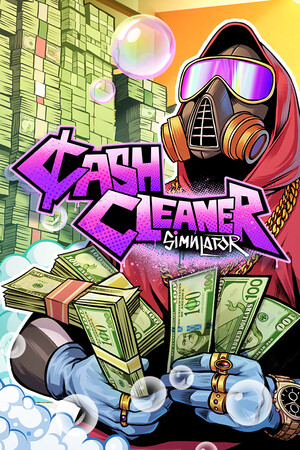
Cash Cleaner Simulator cover
Advertisement
Cheat codes only

This article contains cheat codes only. No file to download.

Information
  • Author: DAV
  • Downloads: 2,669
  • Updated:

Cheat Codes

Cash Cleaner Simulator

Cheat Codes:
------------
Submitted by: David K.

How to Collect and Sort Bills Effectively:
------------------------------------------
* Single Bill Pickup: Left-click a bill to grab it.
* Auto-Collect Mode: Once holding two items, hold left-click to
automatically pick up matching types"”works for both bills and
trash.
* Trash Collection: Picking up two trash items creates a trash bag,
which only collects more trash until full.
* Bill Sweeping (F Key): Press F to gather scattered bills into a pile.
* Money Piles & Handfuls:
* Bills near each other form piles automatically.
* Use F + left-click on a pile to get a handful (not always 100).
* Hold left-click to gather up to 100 bills into a stack.


Endgame Pig Feeding Tips:
-------------------------
* The pig accepts everything: dirty, wet, inked, counterfeit, or
even foreign currency.
* BUT: Don't feed it the fake or marked bills required for late-game
quests. Store them separately to avoid game-breaking bugs.
* Feeding high-value packs is more efficient than loose small bills.
* Use a container under the feeding port to catch spillage.


Tips:
-----
* Don't Lose the Knife: Your knife is essential"”it lets you cut stacks
of money into individual bills, which helps manage stack values more
precisely.
* Skip Sorting by Denomination: Sorting money into denominations is
unnecessary and purely cosmetic. Instead, use the counting machine
to collect required sums directly.
* Complete Orders Quickly: Orders earn you experience and funds.
Prioritize them early to unlock more tools and upgrades.
* Use Auto-Clickers: While manually interacting with money is
satisfying, it's a waste of time and mouse clicks. Automate where
possible.
* Press TAB for Quick Access: The TAB key brings up your inventory,
making it easy to manage essential items.
* Distribute Money Smartly: Save larger denominations (like $100 bills)
for high-value orders (e.g., $35,000+). Use small bills for smaller
tasks.
* Fast-Track Deliveries: Hold the mouse wheel and toss bags or boxes
directly to the end of the conveyor to skip the slow animation.
* Bulk Feed Counting Machines: There's no need for perfect stacks"”just
throw a bunch of bills into the counter, and it'll sort itself out.
* Watch the Stack Colors: Mixed-denomination stacks appear gray, while
uniform stacks match the bill color.

How to use Cash Cleaner Simulator Cheat Codes cheat codes on PC

For Cash Cleaner Simulator Cheat Codes on PC, the cheat codes listed above are used directly in-game — no trainer or third-party software required. Depending on the game, open the developer console (often with the ~, ` or Esc key), type the code shown and press Enter, or use the key combination specified during gameplay. Some codes require enabling cheat mode in the game's settings first. Make sure your game version matches the one the codes were tested on.

FAQ

No. These codes are built into the game and are entered via the console command or a key combination — no trainer or third-party software needed.

In most cases, no. These codes are for single-player / offline use only and may be disabled or get you banned online.

Check that your game version matches the one the code was tested on, that the console or cheat mode is enabled in the game's settings, and that you're entering the code with the exact spelling shown.

Often, yes. Activating a cheat code usually disables achievements for the current session. Save your game before entering a code if you want to keep your trophies.
Still not working? Visit our help page for further assistance.
Comments
Become a Patron!
Comments only in English or French or comments will be removed!


Become a Patron!







