Grand Theft Auto V Enhanced Cheat Codes – PC

Select your platform and your letter

Grand Theft Auto V Enhanced Cheat Codes

Cheat codes for Grand Theft Auto V Enhanced on PC, listed below with how to enter them. Updated April 27, 2025 · 3,616 downloads.

PC
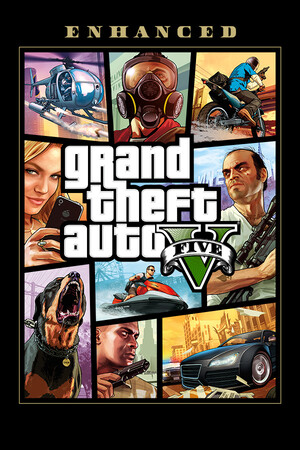
Grand Theft Auto V Enhanced cover
Advertisement
Cheat codes only

This article contains cheat codes only. No file to download.

Information
  • Author: DAV
  • Downloads: 3,616
  • Updated:

Cheat Codes

Grand Theft Auto V Enhanced

GTA V Enhanced

Cheat Codes:
------------
Submitted by: David K.

How to Transfer Your Progress & Achievements:
---------------------------------------------
First, you'll need GTA V Legacy (the older version) installed.
Here's how to safely move your Story Mode progress and achievements:

* Launch GTA V Legacy and enter Story Mode.
* Open the pause menu (press ESC on keyboard or Start on controller).
* Go to Game -> Upload Save Game.
* Select the save file you want to transfer.

Tip: Choose your save file with the most progress to keep your achievements.

Important note: You only have ONE slot for your save file, but you can overwrite
it as many times as you like. However, you can only import this save into GTA V
Enhanced one time. After importing, you won't be able to upload a new save from
GTA V Legacy again.

Once your upload is successful, open GTA V Enhanced and load your transferred save!
Common Issue: "You must accept the latest Rockstar Games Online Policies"
Solution: Simply log into your online character first to accept the new policies.


-=Online Character Progress and Achievements=-
You can move your online character and achievements only one time,
and only from the PC version:

* Launch GTA V Enhanced Online.
* Watch or wait through the opening cutscene (sorry, you can't skip this).
* The game will ask if you want to transfer your existing character.
Choose "Yes."

If the transfer option doesn't appear, open GTA V Legacy Online first to accept
any new policies, then try again.

Tip: Always enter Online Mode directly from the main menu, not from Story Mode,
to see your character easily.

Once successful, your character and online achievements will appear. Unfortunately,
if something goes wrong during this step, there's no easy fix I know of.

Where to Find Your Save Files and Settings
Your GTA game files are located here:

* GTA V Legacy: C:\Users\%USERNAME%\Documents\Rockstar Games\GTA V
* GTA V Enhanced: C:\Users\%USERNAME%\Documents\Rockstar Games\GTAV Enhanced

Important tip: Before moving files yourself, make a backup copy of these folders
just in case.

How to use Grand Theft Auto V Enhanced Cheat Codes cheat codes on PC

For Grand Theft Auto V Enhanced Cheat Codes on PC, the cheat codes listed above are used directly in-game — no trainer or third-party software required. Depending on the game, open the developer console (often with the ~, ` or Esc key), type the code shown and press Enter, or use the key combination specified during gameplay. Some codes require enabling cheat mode in the game's settings first. Make sure your game version matches the one the codes were tested on.

FAQ

No. These codes are built into the game and are entered via the console command or a key combination — no trainer or third-party software needed.

In most cases, no. These codes are for single-player / offline use only and may be disabled or get you banned online.

Check that your game version matches the one the code was tested on, that the console or cheat mode is enabled in the game's settings, and that you're entering the code with the exact spelling shown.

Often, yes. Activating a cheat code usually disables achievements for the current session. Save your game before entering a code if you want to keep your trophies.
Still not working? Visit our help page for further assistance.
Comments
Become a Patron!
Comments only in English or French or comments will be removed!


Become a Patron!







