S.T.A.L.K.E.R.: Call of Pripyat Save Game – PC

Select your platform and your letter

S.T.A.L.K.E.R.: Call of Pripyat Save Game

S.T.A.L.K.E.R.: Call of Pripyat Save Game: free file for S.T.A.L.K.E.R.: Call of Pripyat on PC, to copy into the game's save folder. Updated July 22, 2024 · 3,962 downloads.
PC
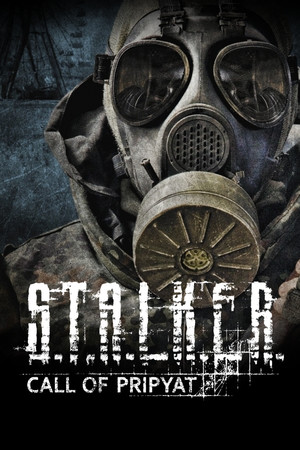
S.T.A.L.K.E.R.: Call of Pripyat cover
Advertisement
REQUIRED CONDITIONS
This box must be checked to enable download.
5 seconds before download...
File: S.T.A.L.K.E.R.Call.of.Pripyat.Anomaly.Captain.Durkonovic.zip
1.73 MB SHA-1: 39ef8297…34cef1fd
Information
  • Author: EZZ
  • Downloads: 3,962
  • Updated:
  • Size: 1.73 MB
  • SHA-1: 39ef82977d62989cc32f5069a72025b234cef1fd

Cheat Codes

unlock almost all achievements

Gender: male
Full name, surname, patronymic: Boris Dyurkonovich Vladislalovich.
Age: 26
Homeland: Czech Republic
Occupation: Lieutenant in the Czech Army (formerly), Ecologist (formerly), Lieutenant in the ISG group (formerly), Captain in the ISG group, as well as a free and hidden mercenary.
Status: Alive.
Location: Dead city (the main resting place from raids or orders).
Partners: St. Lieutenant Voirt died during a battle with the Monoliths at army warehouses. The first Lieutenant of Garia died from the clutches of 2 chimeras in the Red Forest. Both died after a successful operation. The first to die was First Lieutenant Garia, then 3 days later Art. Lieutenant Voirt.
Rank: Legend.
Relationship: Friend to Mercenaries and IIG.
Character: Calm and reasonable concept like love, empathy does not disappear at all. Sometimes he can contradict himself, but he tries to be reasonable in any situation.
Likes: any calm, but not completely boring neoclassical. Tea.
Hates: when he is touched, when the same information or phrase is repeated (except for sirens or other warnings), alcohol, drugs, cigarettes and absolutely snorks. Also, what he hates most is when every day is very similar to the last one (to be more specific, imagine Groundhog Day, only the dates change every day), but he can tolerate it.
Favorite weapons: pistols with silencers, as well as sniper rifles.
Other features: does not understand humor, except black. He can also use rifles as assault weapons.
Knows languages: English, Czech, German, Russian. He knows all these languages "‹"‹like the back of his hand.

This is a save game of S.T.A.L.K.E.R. Anomaly named Captain Durkonovic, who is a member of the International Research Group or ISG. In this save, open all achievements except 2 story ones and one called "Iron Curtain".

Information Files (.nfo)

Name of the file: Trainers.nfo


█▓▓▓▓▓▓▓▓▓▓▓▓▓▓▓▓▓▓▓▓▓▓▓▓▓▓▓▓▓▓▓▓▓▓▓▓▓▓▓▓▓▓▓▓▓▓▓▓▓▓▓▓▓▓▓▓▓▓▓▓▓▓▓▓▓▓▓▓▓▓▓▓▓▓▓█ █▓▒▒▒▓█████▓█████▓█████▓█▓█▓▓▓█▓█████▓█████▓█████▓▓▓▓████▓█▓█████▓█▓▓▓█▓▒▒▒▓█ █▓▒ ▓▓▓█▓▓▓█▓▓▓█▓█▓▓▓█▓█▓██▓▓█▓█▓▓▓▓▓█▓▓▓█▓█▓▓▓▓▓▓▓▓█▓▓▓▓█▓▓▓█▓▓▓▓█▓█▓▓ ▒▓█ █▓ ▓▓▓█▓▓▓█████▓█████▓█▓█▓█▓█▓████▓▓█████▓█████▓██▓█▓▓▓▓█▓▓▓█▓▓▓▓▓█▓▓▓ ▓█ █▓▒ ▓▓▓█▓▓▓█▓▓█▓▓█▓▓▓█▓█▓█▓▓██▓█▓▓▓▓▓█▓▓█▓▓▓▓▓▓█▓▓▓▓█▓▓▓▓█▓▓▓█▓▓▓▓▓█▓▓▓ ▒▓█ █▓▒▒▒▓▓▓█▓▓▓█▓▓▓█▓█▓▓▓█▓█▓█▓▓▓█▓█████▓█▓▓▓█▓█████▓▓▓▓████▓█▓▓▓█▓▓▓▓▓█▓▓▓▒▒▒▓█ █▓▓▓▓▓▓▓▓▓▓▓▓▓▓▓▓▓▓▓▓▓▓▓▓▓▓▓▓▓▓▓▓▓▓▓▓▓▓▓▓▓▓▓▓▓▓▓▓▓▓▓▓▓▓▓▓▓▓▓▓▓▓▓▓▓▓▓▓▓▓▓▓▓▓▓█ █▓▓▓▓░░░ Trainers City ░░░▓▓▓▓▓█ █▓▒▒▒ - The Bible Trainers - ▒▒▒▓█ █ ■■■■■■■■■■ ■■■■■■■■■■ █ █ █ █ This trainer doesn't work with your game? █ █ Read the FAQ or write to the author! █ █ https://www.trainerscity.com/en/help (In English) █ █ https://www.trainerscity.com/fr/help (In French) █ █ █ █ ■■■■■■■■■■ ■■■■■■■■■■ █ █ █ █ Try the forums of Trainers City in French and......

...You will find the rest of this information in: Trainers.nfo,
if you download this file: S.T.A.L.K.E.R.Call.of.Pripyat.Anomaly.Captain.Durkonovic.zip
Trainers City

How to install the S.T.A.L.K.E.R.: Call of Pripyat Save Game save game

This S.T.A.L.K.E.R.: Call of Pripyat Save Game save file is a pre-advanced game progress file that you copy into the game's save folder. Back up your existing save file first — so you can restore it if needed. Then locate the game's save directory (usually under Documents/My Games/ or %APPDATA% on Windows) and replace the existing file with the one provided in the archive. Restart the game and load the save from the save selection menu.

FAQ

Yes, always. Copy your existing save file to a safe location before replacing it — if the downloaded save doesn't suit you, you can restore yours in seconds.

The location varies by game, but the most common paths on Windows are: Documents\My Games\[GameName]\, %APPDATA%\[GameName]\, or %LOCALAPPDATA%\[GameName]\. For Steam games, saves may also be stored in Steam\userdata\[SteamID]\[AppID]\remote\.

Make sure you copied the file to the correct folder and that the file name exactly matches the format the game expects (no double extension, e.g. .sav.sav). Some games also require the slot number to match an existing save slot.

Save files are usually compatible across versions of the same game, unless a major update changed the save format. If the game refuses to load the file, check that your game version matches the one noted in the description.
Still not working? Visit our help page for further assistance.
Comments
Become a Patron!
Comments only in English or French or comments will be removed!


Become a Patron!







