Eschatos Cheat Codes – PC

Select your platform and your letter

Eschatos Cheat Codes

Cheat codes for Eschatos on PC, listed below with how to enter them. Updated October 8, 2023 · 1,406 downloads.

PC
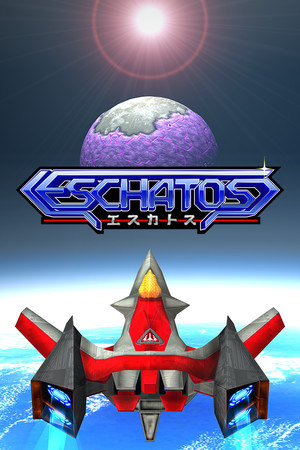
Eschatos cover
Advertisement
Cheat codes only

This article contains cheat codes only. No file to download.

Information
  • Author: DAV
  • Downloads: 1,406
  • Updated:

Cheat Codes

Eschatos

Cheat Codes:
------------
Submitted by: David K.

Unlock system:
--------------
As you play Original or Advanced mode, the total of all scores is added up
to determine what is called an Option Level. Your current Option Level
corresponds to various new features, some more useful than others, up to
the maximum level of 50. The following is a list of every unlock provided
by this system:

01. Boot the game
02. Continue count is increased by 1
03. Wallpaper brightness
04. Wallpaper number 4
05. Player stock / starting lives unlocked in the "game settings" menu
06. Continue count is increased by 2
07. Demo sound can be toggled on or off
08. Continue count is increased by 3
09. Starting lives can be increased to 4
10. Stage select unlocks, accessible in the "game settings" menu
(only stages 1 and 2 are available initially)
11. Fragment is unlocked in the "effect settings" menu
12. Continue count is increased by 4
13. Smoke is unlocked in the "effect settings" menu
14. Wallpaper number 5
15. Type C ship type (green) unlocked in the "game settings" menu
16. Enemy alt. display is unlocked in the "effect settings" menu
17. Original Hardest
18. Starting lives can be increased to 5
19. Continue count is increased by 5
20. Leaderboard replays can now be viewed
21. Continue count is increased by 6
22. Stage 3 is unlocked for stage select in the "game settings" menu
23. Spark is unlocked in the "effect settings" menu
24. Continue count is increased by 7
25. Advanced Hardest
26. Wallpaper number 6
27. Starting lives can be increased to 6
28. Continue count is increased by 8
29. Stage 4 is unlocked for stage select in the "game settings" menu
30. Continue count is increased by 9
31. Wallpaper number 7
32. Starting lives can be increased to 7
33. "Special settings" unlocked in the options menu
34. Collision display is unlocked in the "special settings" menu
35. Starting lives can be increased to 8
36. Stage 5 is unlocked for stage select in the "game settings" menu
37. Bullet bloom is unlocked in the "effect settings" menu
38. Type D ship type (purple) unlocked in the "game settings" menu
39. Starting lives can be increased to 9
40. Infinite continues
41. Starting lives can be increased to 10
42. Explosion is unlocked in the "effect settings" menu
43. God mode is unlocked in the "game settings" menu
44. Shadow mapping is unlocked in the "effect settings" menu
45. Wallpaper number 8
46. Super shot is unlocked in the "special settings" menu
47. Wallpaper number 9
48. Bloom effect is unlocked in the "effect settings" menu
49. Wallpaper 10
50. Starting lives can be increased to 99

How to use Eschatos Cheat Codes cheat codes on PC

For Eschatos Cheat Codes on PC, the cheat codes listed above are used directly in-game — no trainer or third-party software required. Depending on the game, open the developer console (often with the ~, ` or Esc key), type the code shown and press Enter, or use the key combination specified during gameplay. Some codes require enabling cheat mode in the game's settings first. Make sure your game version matches the one the codes were tested on.

FAQ

No. These codes are built into the game and are entered via the console command or a key combination — no trainer or third-party software needed.

In most cases, no. These codes are for single-player / offline use only and may be disabled or get you banned online.

Check that your game version matches the one the code was tested on, that the console or cheat mode is enabled in the game's settings, and that you're entering the code with the exact spelling shown.

Often, yes. Activating a cheat code usually disables achievements for the current session. Save your game before entering a code if you want to keep your trophies.
Still not working? Visit our help page for further assistance.
Similar Content

No similar content found

Comments
Become a Patron!
Comments only in English or French or comments will be removed!


Become a Patron!







