Call Of Unity Cheat Codes – PC

Select your platform and your letter

Call Of Unity Cheat Codes

Cheat codes for Call Of Unity on PC, listed below with how to enter them. Updated January 16, 2023 · 1,434 downloads.

PC
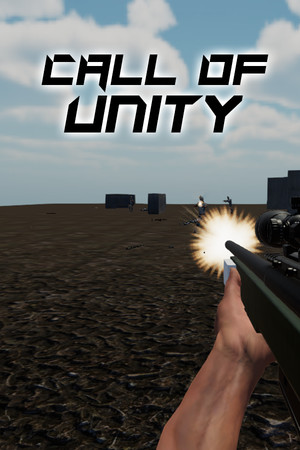
Call Of Unity cover
Advertisement
Cheat codes only

This article contains cheat codes only. No file to download.

Information
  • Author: DAV
  • Downloads: 1,434
  • Updated:

Cheat Codes


Cheat Codes:
------------
Submitted by: David K.

How to Go Blind Playing:
------------------------
This guide will teach you the basics on how to go blind playing this
new state-of-the-art game, Call of Unity.

-=Introduction=-
In Call of Unity, 4 types of war await you! Deathmatch, Domination, Team
Deathmatch and Gun Game are available!

Choose your fighting style FAL, Sniper, Shotgun.... Become an expert in
your class!

-=Features:
* Choice between 4 game modes!
* 5 different weapons and grenades!
* 3 different maps!
* Play multiplayer!
* AI!

-=Addictive!=-
A big feature in the game involves a method to going blind. (Or at least being
visually impaired temporarily) This feature involves the iconic item that is
seen in many other games such as Counter Strike: Global Offensive, Call of
Duty: Modern Warfare, and many more to come. This items is known as the
flashbang.

In order to go blind, you must do the following:

-=Step 1 "“ Pull out your keyboard=-
It is very important that you have a keyboard so that you can swap your
weapons in this game.

-=Step 2 "“ Locate the "5" key=-
The number "5" is located near the top of the keyboard, and underneath the
F1-F12 buttons if you have them. The key should be somewhat in the middle of
your keyboard.

-=Step 3 "“ Pull out your mouse=-
It is also very important that you have a mouse! IF you do not have one, then
you must use your keyboard to walk over to a wall. IF you do have a mouse, then
just drag it downwards.

-=Step 4 "“ Locate the "Left Click" Button=-
On your mouse, there should be a button no the big part to the left that is
called the "left click". You will need to push down this button using your finger
in order to make the movement to complete the next step.

-=Step 5 "“ Press the "Left Click" Button and throw the flashbang=-
Once you press left click, the flashbang should drop to the ground and explode,
which will visually impair you. If we refer back to the 3rd step, (not having a
mouse) then we will try step 6.

-=Step 6 (Alternate step 5)=-
Check what keyboard you have. Once you find the model type, download the software
for it. Once you open the software, locate the "keybinds" option, and set one of
the keys to "Left Click". Then, do step 5 as you would with a mouse.

-=Thank You!=-
Thank you for reading my guide, I really hope it helped with your troubles in
trying to go blind.

How to use Call Of Unity Cheat Codes cheat codes on PC

For Call Of Unity Cheat Codes on PC, the cheat codes listed above are used directly in-game — no trainer or third-party software required. Depending on the game, open the developer console (often with the ~, ` or Esc key), type the code shown and press Enter, or use the key combination specified during gameplay. Some codes require enabling cheat mode in the game's settings first. Make sure your game version matches the one the codes were tested on.

FAQ

No. These codes are built into the game and are entered via the console command or a key combination — no trainer or third-party software needed.

In most cases, no. These codes are for single-player / offline use only and may be disabled or get you banned online.

Check that your game version matches the one the code was tested on, that the console or cheat mode is enabled in the game's settings, and that you're entering the code with the exact spelling shown.

Often, yes. Activating a cheat code usually disables achievements for the current session. Save your game before entering a code if you want to keep your trophies.
Still not working? Visit our help page for further assistance.
Similar Content

No similar content found

Comments
Become a Patron!
Comments only in English or French or comments will be removed!


Become a Patron!







