My Child Lebensborn Cheat Codes – PC

Select your platform and your letter

My Child Lebensborn Cheat Codes

Cheat codes for My Child Lebensborn on PC, listed below with how to enter them. Updated December 24, 2022 · 3,907 downloads.

PC
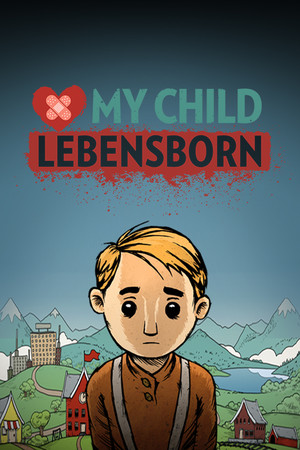
My Child Lebensborn cover
Advertisement
Cheat codes only

This article contains cheat codes only. No file to download.

Information
  • Author: DAV
  • Downloads: 3,907
  • Updated:

Cheat Codes

Cheat Codes:
------------
Submitted by: David K.

Basic Gameplay Tips:
--------------------
Written by Murder Party

These tips will work for both the steam version and the versions on
mobile. Please enjoy and I hope this helps.

When you start the game you are given the option to adopt Klaus or Karin,
gameplay is exactly the same no matter which child you choose. The only
difference between Klaus and Karin is what they look like, and what hairstyles/
outfits are available for them. Good news for trans and non-binary players,
the player character is not gendered in any way and is only referred to as a
parent, not as a mother or father.

-=Mail=-
On some mornings you will receive mail, letters from people surrounding your
child, or newspapers. The letters must be read that same day, but the newspapers
are inconsequential and just add flavor text and historical context to the story.
You can also send letters, you will be automatically guided when writing all
letters. You can write your child's mother, their aunt, their father, the local
religious leader, the factory, and the school.

-=Food=-
You must feed your child on a semi-regular basis or the child WILL eventually run
away leading to an instant game over. Food can be found in the forest, fished for,
or bought with money from the factory job. It is not necessary to purchase any of
the more expensive foods, the child will complains about the oatmeal if it is
served too often, but this will not cause an end game. Cooking all the different
foods results in steam achievements. The more expensive foods will make the child
happier, or fill the hunger bar faster, but not enough to be a massive difference.
Making food with the child fills the child's affection bar, and fills time nicely
when the child does not return home on time. Fishing and gathering often results
in a couple steam achievements.

-=Bathing=-
You can wash the child's face once a day for a slight boost to their cleanliness
stat without using a time slot. You can also change the child's hairstyle once you
have purchased the comb. Baths will quickly fill the child. There is a point in
game play where the child will refuse to be bathed, the child will still allow you
to wash their face. You can also change the child's clothes for a small cleanliness
boost.

-=Play=-
The child will regularly ask to play at which time you can choose between drawing,
going outside, playing hide and seek, or playing ball. These activities are
technically pointless as the child's affection stat can be filled by petting their
head. But your game experience will be fairly hollow if you never do any of these
activities. Playing ball with the child 30 times results in a steam achievement.

-=Bedtime=-
The child will often give you the option to read to them. This will give them an
affection boost. You do not have to, not doing so for the entire game will result
in an achievement. Turn off the light by the child's bed to end the day.

-=Weekdays=-
Monday through Friday you'll need to send your child to school and go to work.
You'll receive $70 for a workday. You can sometimes work overtime which gives you
a small extra amount of money. This will result in your child's stats taking a hit
and use up the rest of your time for the day. Your child may ask not to go to
school, and you'll be able to skip work without penalty if asked to by your child.
On Saturday, your child does not have school, on Sunday you do not have work and
your child does not have school. Sunday is the only day you can access the forest
and pond.

How to use My Child Lebensborn Cheat Codes cheat codes on PC

For My Child Lebensborn Cheat Codes on PC, the cheat codes listed above are used directly in-game — no trainer or third-party software required. Depending on the game, open the developer console (often with the ~, ` or Esc key), type the code shown and press Enter, or use the key combination specified during gameplay. Some codes require enabling cheat mode in the game's settings first. Make sure your game version matches the one the codes were tested on.

FAQ

No. These codes are built into the game and are entered via the console command or a key combination — no trainer or third-party software needed.

In most cases, no. These codes are for single-player / offline use only and may be disabled or get you banned online.

Check that your game version matches the one the code was tested on, that the console or cheat mode is enabled in the game's settings, and that you're entering the code with the exact spelling shown.

Often, yes. Activating a cheat code usually disables achievements for the current session. Save your game before entering a code if you want to keep your trophies.
Still not working? Visit our help page for further assistance.

Similar Content

No similar content found

Comments
Become a Patron!
Comments only in English or French or comments will be removed!


Become a Patron!







