Isle of Arrows Cheat Codes – PC

Select your platform and your letter

Isle of Arrows Cheat Codes

Cheat codes for Isle of Arrows on PC, listed below with how to enter them. Updated September 19, 2022 · 2,050 downloads.

PC
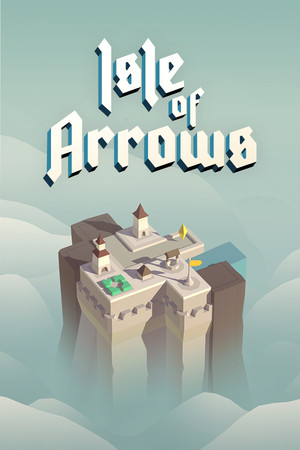
Isle of Arrows cover
Advertisement
Cheat codes only

This article contains cheat codes only. No file to download.

Information
  • Author: DAV
  • Downloads: 2,050
  • Updated:

Cheat Codes

Cheat Codes:
------------
Submitted by: David K.

Tips for Merchants (How to Profit):
-----------------------------------
In the first round of turns, don't spend any coins on getting new tiles unless
it leads to coin bags, but you should avoid picking up the coin bags anyway as
they give you more the longer you wait. Focus on getting a good kill zone going
in the early part. Let the coins from killing mobs build up. You won't get coins
between rounds, but each coin bag will give you as many coins as your accumulated
interest. Do not waste space on frivolous projects.

If you can't immediately profit from a move, you probably shouldn't make it
unless it will help in your long term or its worth the cost. i.e. Is it worth
placing a fishing hut next to a single water tile? If there isn't a space
already available for another water tile that will benefit you because another
tile with a water tile attached will fit perfectly into your plan, don't do it.
Tiles you have to completely surround are barely ever worth it unless you have
spare bombs and bridges and a space already prepared for it, intentionally or
otherwise.

For example, I have a statue I want to place and a blank tile to place it in,
but there are two tiles of open space and now I have to question if it is worth
two bridges or placing a flag in an awkward position to get 2-3 bombs (I can't
remember which it is), one of which, if I'm successful, I will want to reserve
for removing the statue and replacing it with another "Surround in full" tile.
It CAN be worth placing these tiles, if you have the space and planning for it,
but don't go out of your way to make it happen unless you've got random real
estate that isn't part of your path strategy.

On the other hand, sometimes it is absolutely necessary to spend down to
nothing to get the tiles you need to survive the next round. If you just took
damage for the third round in a row or you just took multiple damage in a
single round, do not hesitate to spend every last penny you have to get towers
up and running that will keep you alive. Money means nothing if you're dead
and the further in rounds you get, the more money the enemies drop, so don't
be afraid to spend some cash to stay alive.

This game is hard. Keep trying, keep working on unlocking stuff by any means.
Practice and refine your strategy. Hope for good RNG. Good luck.


How to Reset Progress:
----------------------
If you want to start a new game and don't know how to do it, then this guide will help you.

-=How to Reset Your Progress=-
You have to delete the save on the PC while keeping Cloud save de-activated on Steam options.

Save File Location
File is located on:

C:/Users/[User_Name]/AppData/LocalLow/Gridpod

How to use Isle of Arrows Cheat Codes cheat codes on PC

For Isle of Arrows Cheat Codes on PC, the cheat codes listed above are used directly in-game — no trainer or third-party software required. Depending on the game, open the developer console (often with the ~, ` or Esc key), type the code shown and press Enter, or use the key combination specified during gameplay. Some codes require enabling cheat mode in the game's settings first. Make sure your game version matches the one the codes were tested on.

FAQ

No. These codes are built into the game and are entered via the console command or a key combination — no trainer or third-party software needed.

In most cases, no. These codes are for single-player / offline use only and may be disabled or get you banned online.

Check that your game version matches the one the code was tested on, that the console or cheat mode is enabled in the game's settings, and that you're entering the code with the exact spelling shown.

Often, yes. Activating a cheat code usually disables achievements for the current session. Save your game before entering a code if you want to keep your trophies.
Still not working? Visit our help page for further assistance.
Comments
Become a Patron!
Comments only in English or French or comments will be removed!


Become a Patron!







