Phantom Brigade v0.21.1 Trainer +6 (Aurora) – PC

Select your platform and your letter

Phantom Brigade v0.21.1 Trainer +6 (Aurora)

Phantom Brigade v0.21.1 Trainer +6 (Aurora) is a PC trainer for Phantom Brigade (game version v0.21.1), made by Cheat Happens. It adds 6 cheat options, listed below. It runs through Cheat Happens' Aurora app. Updated August 20, 2022 · 2,175 downloads · single-player use only.
PC
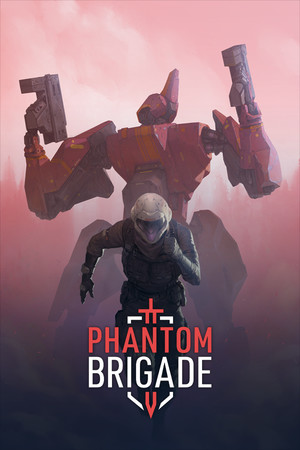
Phantom Brigade cover
Advertisement
Cheat codes only

This article contains cheat codes only. No file to download.

Information
  • Author: CHA
  • Downloads: 2,175
  • Updated:
Aurora

Download Aurora Now for Phantom Brigade Trainer at Cheat Happens! Already have Aurora? Open this trainer in Aurora and start cheating now!! Would you like to know more about Aurora?

Aurora can be used for free by GUESTS and MEMBERS, with new FREE PASS trainers every week!

Cheat Happens Aurora Introduction

Cheat Codes

Phantom Brigade by cheathappens.com
-------------------------------------------------------


Activating this trainer
-------------------------------------------------------
If not state otherwise below, press F1 at main menu.
Listen for 'Trainer Activated'.
Press desired hotkey. All hotkeys can be changed on the trainer.


Trainer Options
-------------------------------------------------------
# Team in Combat
NumPad1: Super Friendly Units

# Enemies in Combat
NumPad2: Weak Enemy Units
NumPad3: Enemies Don't Attack

# Base
NumPad4: Reset Pilot Fatigue

# Gameplay
NumPad5: Game Speed


Editor Options
-------------------------------------------------------
# Currency
Supplies


Notes
-------------------------------------------------------
Super Friendly Units:
Toggle on and when you click a friendly unit or mouse over a friendly unit, all of it's damageable systems that you can see the bars for are now set to super high value. The bars will show the max value, but you can mouse over the bars and see they are elevated.

Weak Enemy Units:
Toggle on and when you click a enemy unit or mouse over a enemy unit, all of it's damageable systems that you can see the bars for are now set to super low value.

Enemies Don't Attack:
Toggle on and if this is on before enemies target and engage, they will remain motionless and not attack.

Reset Pilot Fatigue:
Toggle on and while at base, click Pilot tab and when it shows the pilots they have 0 fatigue.

Game Speed:
Toggle on to affect game speed.

Supplies:
For this to fill in properly, SAVE your current game, then LOAD the current game. You will see the value here. EDIT IT, then when you continue to play or buy or anything using Supplies you will see the value update in the game.


====================================================================

Mute Hotkeys:
-------------------------------------------------------
To temporarily disable the Hotkeys, press CTRL-H after trainer is
activated. You can use CTRL-H to re-activate the Hotkeys as well.
You can also mute specific hotkeys by changing the hotkey you want to mute to 'NONE'.


Troubleshooting
-------------------------------------------------------
Requirements:
Aurora: https://www.cheathappens.com/trainers.asp

Support:
https://www.cheathappens.com/support.asp


AUTHENTICITY NOTICE:
-------------------------------------------------------

PLEASE REVIEW OUR PRIVACY POLICY AT HTTPS://WWW.CHEATHAPPENS.COM/PRIVACYPOLICY.ASP

Get more trainers and updates at http://www.cheathappens.com

How to use the Phantom Brigade v0.21.1 Trainer +6 (Aurora) trainer

⚠️ Important: this trainer runs exclusively through Aurora, the official Cheat Happens application. It is not a standalone trainer you can run on its own — all options (infinite health, ammo, etc.) are managed directly within the Aurora interface.

If you don't have Aurora yet: download and install the Aurora application from the official Cheat Happens website. Once installed, launch Aurora and search for the Phantom Brigade v0.21.1 Trainer +6 (Aurora) trainer in the catalog.

If Aurora is already installed: simply click the Aurora link provided on this page — it will automatically open the trainer in the application.

Then launch your game and toggle the desired options from the Aurora interface using the keyboard hotkeys shown.

Aurora is free for both guests and members, with new FREE PASS trainers released every week.

FAQ

Aurora is the official application by Cheat Happens that replaces old standalone .exe trainers. The trainer and all its options run exclusively inside Aurora — there is no separate executable file to launch. If Aurora is already installed, the link on this page will open it directly. Otherwise, download Aurora here.

No, Aurora is free for both guests and members, with new FREE PASS trainers released every week. A paid Cheat Happens subscription unlocks the full catalog, but the application itself stays free.

No, this is a common false positive. Trainers work by injecting code into the game's memory, which looks technically similar to malware behavior. Aurora and its trainers are officially published by Cheat Happens. If in doubt, check our Virus Alert page.

Open Aurora and load the trainer first, then start the game. Aurora will automatically detect the game process and you can toggle options using the keyboard hotkeys shown in the interface.
Still not working? Visit our help page for further assistance.
Comments
Become a Patron!
Comments only in English or French or comments will be removed!


Become a Patron!







