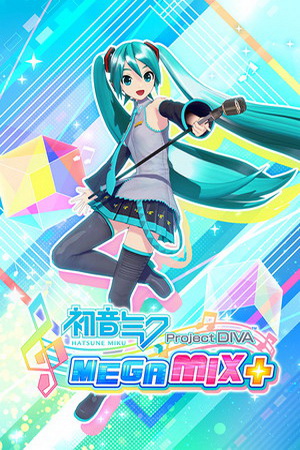
Hatsune Miku: Project DIVA Mega Mix+ Cheat Codes – PC
Select your platform and your letter
Hatsune Miku: Project DIVA Mega Mix+ Cheat Codes
Cheat codes for Hatsune Miku: Project DIVA Mega Mix+ on PC, listed below with how to enter them. Updated June 4, 2022 · 5,541 downloads.
PC
Advertisement
Cheat codes only
This article contains cheat codes only. No file to download.
Information
Author:DAV
Downloads:
5,541
Updated:
Cheat Codes
Cheat Codes:
------------
Submitted by: David K.
Music Video Mode Controls:
--------------------------
Written by Acer
Quick overview of the controls in the Music Video mode, specifically
how to turn off the Japanese romanji subtitles.
-=Controls for Music Video Mode - TL;DR=-
Press the 'T' key three (3) times to toggle subtitles on and off.
-=Getting to Music Video Mode=-
If you want to just watch the music videos without playing the game:
* At the title screen select Rhythm Game.
* Select the song you want to watch.
* Use the arrows to change Start Rhythm Game to Start Music Video.
-=Toggling Subtitles=-
By default the video will show romanji, the English character version
of Japanese words.
To turn subtitles off, press the 'T' key three (3) times:
* The first time brings up control tips.
* The second time brings up a second list of controls.
* The third time hides the control tips again.
At this point the romanji subtitles will be hidden.
Pressing 'T' three times again will toggle the subtitles back on.
-=Other Music Video Controls=-
Enter or left-mouse click to pause/unpause.
* 1+3 at the same time brings up a sticker mode.
* Esc toggles stickers on and off.
* F2 to bring up the menu if you want to exit
(interestingly this has no effect while the video is paused).
* F12 to take Steam screenshots
(assuming you haven't changed your default Steam mappings).
-=Conclusion/Tips=-
If you want to watch a clean version of the video from start to finish,
press Enter to pause the game right at the start, press T three times
to turn off subtitles, then press Enter again to play the video.
Another option is to turn off the subtitles by pressing T three times,
then hit F2 for the menu and then click Retry to start the video back
over from the start.
Modding Guide (How to Unlock Refresh Rate and Custom Songs):
------------------------------------------------------------
Written by Quinten
This guide will help you mod your game and allow you to use mods like
HighRefreshRate and custom songs.
-=This guide will help you mod your game=-
It's only been a couple days since the game released and there are already quite
a few mods available, thanks to the hard work of our small but passionate community!
I do recommend joining the Project Diva modding discord server[discord.gg] for the
latest updates and new mod releases
It's already pretty easy to mod your game.
You can use SpecialK (I think) or the DivaModLoader used in this guide.
-=There are only 3 steps=-
* Locating your game's directory
* Installing the modloader
* Installing mods/songs
-=Step 1: Locating your game's directory=-
* This is easy.
* Go to your steam library
* Right-click the game
* Select manage -> browse local files
-=Step 2: Installing the modloader=-
* Install the modloader made by Skyth. [github.com]
* You can find the latest one in #tools channel in the discord server.
* Open the zip archive with 7-zip/winrar/windows explorer and copy all
the files into your game's directory (Step 1).
-=Step 3: Let the modding begin!=-
To install mods you need to drag them into your game's "mods" directory as a
FOLDER, not as an archive, it will not work.
Alongside High Refresh Rate, I installed Restore Cut Songs mod.
-=Optional: configure the mod=-
To configure the frame limit, open config.toml in the High Refresh Rate folder
with a text editor like notepad and edit these values
(you probably know what you're doing):
'vsync = true
framerate = 120'
This mod, as well as other mods, can be found in the discord server.
You can also put custom songs in the mods folder, such as some songs that were cut
from this game (ievan polkka, white dove,...)
Unfortunately, I cannot share those here, you'll have to join the discord server
to download them.
How to use Hatsune Miku: Project DIVA Mega Mix+ Cheat Codes cheat codes on PC
For Hatsune Miku: Project DIVA Mega Mix+ Cheat Codes on PC, the cheat codes listed above are used directly in-game — no trainer or third-party software required. Depending on the game, open the developer console (often with the ~, ` or Esc key), type the code shown and press Enter, or use the key combination specified during gameplay. Some codes require enabling cheat mode in the game's settings first. Make sure your game version matches the one the codes were tested on.
FAQ
No. These codes are built into the game and are entered via the console command or a key combination — no trainer or third-party software needed.
In most cases, no. These codes are for single-player / offline use only and may be disabled or get you banned online.
Check that your game version matches the one the code was tested on, that the console or cheat mode is enabled in the game's settings, and that you're entering the code with the exact spelling shown.
Often, yes. Activating a cheat code usually disables achievements for the current session. Save your game before entering a code if you want to keep your trophies.
Still not working? Visit our help page for further assistance.