Ultimate Epic Battle Simulator 2 Cheat Codes – PC

Select your platform and your letter

Ultimate Epic Battle Simulator 2 Cheat Codes

Cheat codes for Ultimate Epic Battle Simulator 2 on PC, listed below with how to enter them. Updated May 16, 2022 · 5,497 downloads.

PC
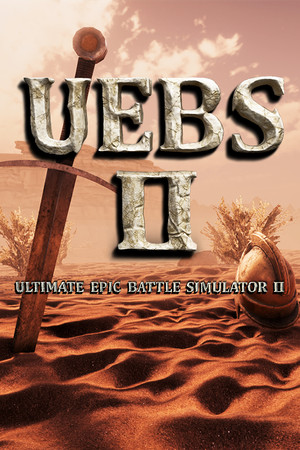
Ultimate Epic Battle Simulator 2 cover
Advertisement
Cheat codes only

This article contains cheat codes only. No file to download.

Information
  • Author: DAV
  • Downloads: 5,497
  • Updated:

Cheat Codes

Cheat Codes:
------------
Submitted by: David K.

Crash Fixes, and Battle Performance:
------------------------------------
Hello everyone, we wanted to throw some advice out there for you
first you time generals. This is an early access build, and some
may experience performance issues, or crashes.

* The maps in this game are huge.
* Be careful how far you place your armies.
* "Battle initialization" will take longer when armies are farther apart
(And larger).
* The other thing to consider is how long it will take for the armies to
reach eachother(Largest maps can take a half hour of running)
* Another note on map sizes.
* We recommend keeping the setting for "map boundaries local to armies",
especially for the larger maps such as Desert Dunes
(This map at max size can cause crashes on some GPUs).
* Devs created a "performance warning" based on hardware.
* Keep in mind the warning isn't always completely accurate, but you
should still heed the warning as it will let you know how the battle
will perform.
* If your GPU has low memory, you can save memory with 2 major settings.
1.Turn RTS off in the battle editor
(This will disable RTS mode which saves memory).
2.Try lowering bone animations setting in graphics settings.
* Team count also affects performance.
* More teams, means more pathfinding, so if you can have just 2 teams,
performance will favor this.

-=Still Getting Crashes?=-
We've noticed that this is primarily an Nvidia issue where the driver fails
to initialize a battle if it is very spread out in a large map or other
circumstances.

There is a registry setting that can prevent this from happening if you are
comfortable with modifying your registry:

Open your Registry Editor: Type "regedit" in the search bar and open the editor.

Navigate to:

"HKEY_LOCAL_MACHINE\SYSTEM\CurrentControlSet\Control\GraphicsDrivers".

In the right-side area, right-click, New, "DWORD (32-bit) Value" and name it
"TdrDelay".
Then open it and give it a value of 8 to 10 as Hexacecimal value.
The restart your computer and please try again to see if this has fixed the
issue.

How to use Ultimate Epic Battle Simulator 2 Cheat Codes cheat codes on PC

For Ultimate Epic Battle Simulator 2 Cheat Codes on PC, the cheat codes listed above are used directly in-game — no trainer or third-party software required. Depending on the game, open the developer console (often with the ~, ` or Esc key), type the code shown and press Enter, or use the key combination specified during gameplay. Some codes require enabling cheat mode in the game's settings first. Make sure your game version matches the one the codes were tested on.

FAQ

No. These codes are built into the game and are entered via the console command or a key combination — no trainer or third-party software needed.

In most cases, no. These codes are for single-player / offline use only and may be disabled or get you banned online.

Check that your game version matches the one the code was tested on, that the console or cheat mode is enabled in the game's settings, and that you're entering the code with the exact spelling shown.

Often, yes. Activating a cheat code usually disables achievements for the current session. Save your game before entering a code if you want to keep your trophies.
Still not working? Visit our help page for further assistance.
Comments
Become a Patron!
Comments only in English or French or comments will be removed!


Become a Patron!







