Ember Knights Cheat Codes – PC

Sélectionnez votre plateforme et votre lettre

Ember Knights Cheat Codes

Codes de triche pour Ember Knights sur PC, listés ci-dessous avec leur mode d'activation. Mis à jour le 30 avril 2022 · 3 044 téléchargements.

PC
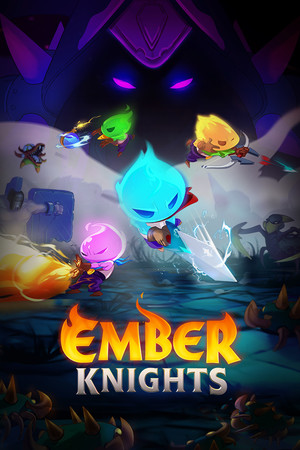
Jaquette de Ember Knights
Publicité
Codes de triche uniquement

Cet article contient uniquement des codes de triche. Aucun fichier à télécharger.

Informations
  • Auteur : DAV
  • Téléchargements : 3,044
  • Mise à jour :

Codes de triche

Cheat Codes:
------------
Submitted by: David K.

How to Copy Save Files for Co-Op:
---------------------------------
Written by Stale Pasta

For Ember Knights players, this guide will show you how to copy your friends
save file to get around the fact that only the host gets progress in
multiplayer.

-=Where to find it, and how to copy=-
The host needs to follow this directory found below.

Either go to...

Drive->Program Files->Steam->Steamapps->Common->Emberknights->EmberKnights 64 Data
->Save Data

Or simply copy and paste the below into your directory...

\Program Files (x86)\Steam\steamapps\common\EmberKnights\EmberKnights_64_Data\SaveData

Once in the save data folder copy "rog.dat" and send it to the person who wants a copy
of that save file. Discord is the easiest way, but you can send it any way you want.
Note the Syntax above might be a bit different depending on your operating system,
but the general path should roughly be the same.

============================================

From this point on this is all from the perspective of the guest.
The host does not need to do any of this.

Once the guest has received the "rog.dat" file, make sure the game is closed and
have the guest paste it into their save data folder, replacing the old one if there
is one.

Next the guest needs to go to their library -> right click on Ember Knights -> Properties
-> Turn off Steam Sync for Ember Knights. This will stop the game from trying to load
the guests old save file in the cloud when you boot the game back up.

The guest should now load up the game. Check to make sure you have any unlocks/ember
that you unlocked while playing with the host by going to the compendium and the ember
tree. If everything you want is there, leave the game running -> go to steam library
-> right click ember knights -> turn steam sync back on. Then close the game using
the games menus. This will prompt steam to upload your current save to the cloud
replacing any old save you might have had.

If the above process doesn't work, then try again but instead of just closing the
game after checking, try doing a run and dying. Then close the game.

Comment utiliser les codes de triche Ember Knights Cheat Codes sur PC

Pour Ember Knights Cheat Codes sur PC, les codes de triche listés ci-dessus s'utilisent directement en jeu, sans trainer ni logiciel tiers. Selon le jeu, ouvrez la console de commandes (souvent via la touche ², ~ ou Échap), saisissez le code indiqué puis validez avec Entrée, ou utilisez la combinaison de touches précisée pendant la partie. Certains codes nécessitent d'activer au préalable le mode triche dans les options du jeu. Vérifiez que votre version du jeu correspond à celle pour laquelle les codes ont été testés.

FAQ

Non. Ces codes sont intégrés au jeu et s'activent via la console de commandes ou une combinaison de touches, sans trainer ni logiciel tiers à télécharger.

Non, dans la grande majorité des cas. Ces codes sont réservés au mode solo / hors ligne et peuvent être désactivés ou bannis en ligne.

Vérifiez que votre version du jeu correspond à celle pour laquelle le code a été testé, que la console de commandes ou le mode triche est bien activé dans les options, et que vous respectez l'orthographe exacte du code.

Souvent oui. L'activation d'un code de triche désactive généralement les succès pour la session en cours. Sauvegardez votre partie avant d'entrer un code si vous souhaitez conserver vos trophées.
Ça ne fonctionne toujours pas ? Consultez notre page d'aide pour plus d'assistance.
Commentaires
Become a Patron!
Commentaires uniquement en anglais ou en français ou vos commentaires seront supprimés !


Become a Patron!








