Viking Frontiers Cheat Codes – PC

Sélectionnez votre plateforme et votre lettre

Viking Frontiers Cheat Codes

Codes de triche pour Viking Frontiers sur PC, listés ci-dessous avec leur mode d'activation. Mis à jour le 18 mai 2025 · 2 919 téléchargements.

PC
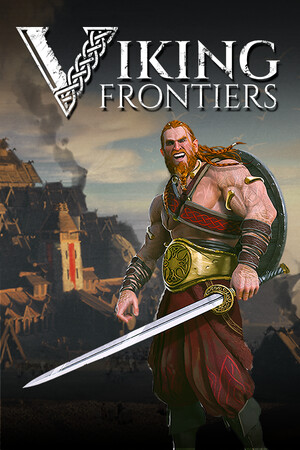
Jaquette de Viking Frontiers
Publicité
Codes de triche uniquement

Cet article contient uniquement des codes de triche. Aucun fichier à télécharger.

Informations
  • Auteur : DAV
  • Téléchargements : 2,919
  • Mise à jour :

Codes de triche

Viking Frontiers

Cheat Codes:
------------
Submitted by: David K.

Buildings Guide:
----------------
Written by Ague Mort

-=Small House=-
This is one of the first buildings you'll make. It's a simple house that can
hold up to 2 workers. It's a good idea to make one of these your home early on.

The house you set as your home will only have you and Gunnar in it. If you set
a bigger house as your home later, you'll use up extra beds that could be for
workers. To set a house as your home, go to the sign on the house and hold down
the "C" key.

-=Tax Chest=-
When you set a house as your home, it gets a Tax Chest. Any tax money collected
goes in here. Remember to take the money out of the chest sometimes.

Materials to build the Small House:
- Logs: 14
- Plant Fiber: 23
- Stick: 20

Extra materials needed:
- Plant Fiber: 3
- Stick: 5

Stuff you get back if you break it down:
- Plant Fiber: 22
- Stick: 20

-=Craftsman's Workshop=-
This is the first building where your workers can make things. You can have up
to 2 workers here, and it helps their Endurance stat. It's a good place to learn
how to set up automatic crafting in the game.

Materials to build:
- Logs: 49
- Plant Fiber: 24
- Stick: 18

Stuff you can add to it (Upgrades).

Simple Smelter:
- Smelts Copper and Tin Ore into bars.
- Stone: 12
- Tool box:
- Plank: 5
- Iron Parts: 3

Chest:
- Stick: 5
- Plant Fiber: 3

-=Tips for making things automatically here=-
* Don't make too many Handles or Shafts at the start. You won't need a ton right
away. Setting them to make 5 of each is enough.
* Set Waterskins to make 100%. This keeps 1 waterskin ready for each person you
have. This is useful later when you cook and need water for recipes in the
Farmhouse. Once you build the Well, you don't need to worry about filling them;
workers will do it and put them in the Grainary storage.
* Torches don't seem to be very useful right now.
* Keep 5 of each Stone Tool made automatically. Don't make Bows automatically. The
Stone Spear works fine for hunting most things. Make arrows automatically as you
use them. You get most arrows back from animals, so you don't need hundreds made.
This makes sure your buildings that use tools have them ready. There's a problem
right now where workers stop using a tool when it's almost broken (around 5% or
less) and grab a new one. This can stop your automatic crafting. To fix this,
take the tools that are almost broken and use them yourself until they break
completely so they don't mess things up. Later, when you have lots of Ore coming
in automatically, you can switch to making Copper Tools automatically here if you
want.
* It's better to make Copper Parts here automatically instead of in the Smithy
later. The Smithy gets busy with making stuff from rarer ores, so keep the basic
parts crafting here.
* Making 5 Seed Bags automatically is plenty, even with a lot of farm fields.
* Making 25 Wooden Parts automatically should be enough for most things.
They aren't used in a lot of buildings.

-=Well=-
The Well is probably the first building you'll build that gets resources. If you
put a worker on it, they make sure all your Waterskins are filled with drinking
water and stored in the Grainary.

Having a worker doesn't keep the bucket at the well full though, so you'll need
to fill that yourself after you drink from it. This building needs one worker. You
can build more Wells in your camp so you don't have to carry a Waterskin everywhere
when you're building (saves a little carry weight). You only need a worker on one
Well; one is enough.

Materials to build:
- Stone: 10
- Stick: 10
- Plant Fiber: 5

There are no extra parts you can add to this building.

-=Sawmill=-
The Sawmill is really important to get set up for automatic crafting because you'll
use the stuff it makes a lot, and it saves a ton of time compared to making it by hand.

To build the Sawmill, you first have to use the Sawmill crafting spot to make Beams
and Planks. After you make those, you can finish the building and set it up for
automatic crafting.

Materials to build:
- Logs: 22
- Plant Fiber: 36
- Copper Parts: 7
- Beam: 19
- Wood Billet: 1
- Peat: 10 (You need at least a Stone Shovel to get this; find it near water;
it grows back slowly)
- Plank: 32
- Stick: 10

Stuff you can add to it (Upgrades).

Warehouse Racks:
- Stick: 5

Chest:
- Stick: 5
- Plant Fiber: 3

Tool box:
- Plank: 5
- Iron Parts: 3

Charcoal kiln:
- Clay: 12
- Stick: 5

-=Tips for making things automatically here=-
* You'll need a LOT of Planks. I set mine to make 200, and I never run out.
* You'll need a good amount of Beams. I keep mine at 75, and that's enough.
* You don't need many Wood Billets. I have mine set to 25, and that feels like too many.
* Firewood, Wooden Splint, Charcoal. Make these automatically as you need them. You
won't use a ton. Charcoal seems to last the longest and goes into the Warehouse
chest. So, if you make a lot of anything here, make it Charcoal over
* Firewood and Splints. Firewood sits on racks, and if you need to move the building,
you have to empty the racks first, which takes a long time. Wooden Splints are also
heavy (2kg each), so moving them is slow too.

Comment utiliser les codes de triche Viking Frontiers Cheat Codes sur PC

Pour Viking Frontiers Cheat Codes sur PC, les codes de triche listés ci-dessus s'utilisent directement en jeu, sans trainer ni logiciel tiers. Selon le jeu, ouvrez la console de commandes (souvent via la touche ², ~ ou Échap), saisissez le code indiqué puis validez avec Entrée, ou utilisez la combinaison de touches précisée pendant la partie. Certains codes nécessitent d'activer au préalable le mode triche dans les options du jeu. Vérifiez que votre version du jeu correspond à celle pour laquelle les codes ont été testés.

FAQ

Non. Ces codes sont intégrés au jeu et s'activent via la console de commandes ou une combinaison de touches, sans trainer ni logiciel tiers à télécharger.

Non, dans la grande majorité des cas. Ces codes sont réservés au mode solo / hors ligne et peuvent être désactivés ou bannis en ligne.

Vérifiez que votre version du jeu correspond à celle pour laquelle le code a été testé, que la console de commandes ou le mode triche est bien activé dans les options, et que vous respectez l'orthographe exacte du code.

Souvent oui. L'activation d'un code de triche désactive généralement les succès pour la session en cours. Sauvegardez votre partie avant d'entrer un code si vous souhaitez conserver vos trophées.
Ça ne fonctionne toujours pas ? Consultez notre page d'aide pour plus d'assistance.
Commentaires
Become a Patron!
Commentaires uniquement en anglais ou en français ou vos commentaires seront supprimés !


Become a Patron!








