Expeditions: A MudRunner Game Cheat Codes – PC

Sélectionnez votre plateforme et votre lettre

Expeditions: A MudRunner Game Cheat Codes

Codes de triche pour Expeditions: A MudRunner Game sur PC, listés ci-dessous avec leur mode d'activation. Mis à jour le 18 mars 2024 · 3 046 téléchargements.

PC
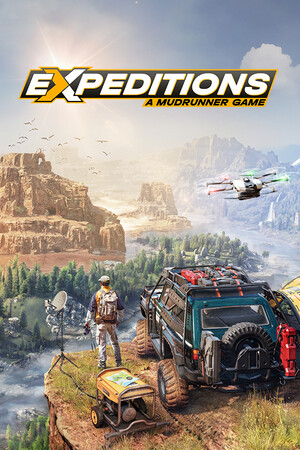
Jaquette de Expeditions: A MudRunner Game
Publicité
Codes de triche uniquement

Cet article contient uniquement des codes de triche. Aucun fichier à télécharger.

Informations
  • Auteur : DAV
  • Téléchargements : 3,046
  • Mise à jour :

Codes de triche

Expeditions: A MudRunner Game

Cheat Codes:
------------
Submitted by: David K.

Tips and Hints:
---------------
Written by jztemple

Good planning and an abundance of patience can really help. Slow, steady and
methodical. But, some of the smaller scouts handle a lot better in first person
view. I'm not sure why, but I can cruise at higher speeds in FP, take less
damage and don't do trajectory changes so easy. In third person I'll be going
along and randomly shoot off at a 45° because I grazed a small rock.

Tip for seismic expeditions: take a picture of the map with the yellow location
identifier when selecting expeditions. Once you are on the map, it doesn't
display those and you have to rely on a distance indicator with no directions
other than that number increasing or decreasing.

Unlock trucks in the wild! Rescue them and then you can purchase them. The
Step 310 is just terrible and is the only option for seismic addon at the start.

If you are strapped for cash, sell any of the vehicles you don't use, you can
buy them back later.

Pay close attention to the specs of each tire when upgrading. A tire rated
excellent for mud may only be good for offroad and a lot of the maps are off-road
rather than mud.

* Turn off your engine whenever possible! You can still use your drone and
binoculars. Or when checking your map. An idling engine still drinks fuel.

* Once you have discovered an airdrop, when you mouse over it on the map it
will show the inventory items there. However, usually airdrops also contain
fuel and supplies. Don't ignore an airdrop after you have taken all the
inventory items.

* Always bring anchors and jack-screws. This is especially true for trucks that
sit high on their suspension.

* On some maps you can build bridges and remove avalanches (rock slides), but
you need supplies for these. Plan on bringing extra supplies.

* Always check the upgrades menu before you go on a mission. Add extra fuel cans,
supplies and tires. You'll need to add the extra storage and then pick the items
you want on the same upgrade screen.

* Essentials storage at outposts and bases can provide supplies, fuel and wheels.
They start off partially full at the beginning of an Expedition (mission). They
are only refilled when you end your current Expedition and start another.

* I don't know if this is a bug, but sometimes where you have previously built a
bridge or cleared an avalanche/rock slide, the game will display an option to
spend supplies there again. It doesn't change anything as far as I can tell.

Be careful when using the jack-screw. Even if the preview show you a green image
where your truck will spawn, make sure all wheels are clear of the terrain. I had
an instance where when spawning, one of the wheels spawned inside a large rock
which trapped it and forced me to give up the mission.

You can change the time of day! When on the map, click "T" (keyboard). Oddly,
there is no clock to see, but time will change though dawn, midday, dusk and night,
or something to that effect. When it starts getting too dark for me I just go to
the map and click three times and it's full daylight.

You can send out up to four vehicles at once. Also, you can tow one vehicle with
another. This will help at times. When you do, try to keep the engine of the towed
vehicle off. Even at idle engines burn fuel. If the towed vehicle's engine is off
it will freewheel and save fuel.

There will be missions that want you to send a scout. That's fine, but scouts have
limited inventory, fuel and supplies capacity. Consider sending along a milch cow,
a big truck with lots of fuel and supplies plus devices. And that truck can tow
your scout too.

Trees are insanely strong; this was true in SnowRunner too. If you snag even the
smallest branch on your vehicle it will not break and it will stop you. Try to avoid
getting too close to them.

Fuel! Fuel! Fuel! This can't be emphasized enough. A mission I recently completed
took two and a half hours. Look for Airdrops to provide more devices, fuel and
supplies. Bring an extra vehicle with lots of fuel and supplies and always think
about saving fuel. Watch the usage meter in the lower left of the screen and note
what activities burn fuel quicker. You'll find that rock climbing and crossing
fords really can use up your fuel so do those activities quickly if you can.

Comment utiliser les codes de triche Expeditions: A MudRunner Game Cheat Codes sur PC

Pour Expeditions: A MudRunner Game Cheat Codes sur PC, les codes de triche listés ci-dessus s'utilisent directement en jeu, sans trainer ni logiciel tiers. Selon le jeu, ouvrez la console de commandes (souvent via la touche ², ~ ou Échap), saisissez le code indiqué puis validez avec Entrée, ou utilisez la combinaison de touches précisée pendant la partie. Certains codes nécessitent d'activer au préalable le mode triche dans les options du jeu. Vérifiez que votre version du jeu correspond à celle pour laquelle les codes ont été testés.

FAQ

Non. Ces codes sont intégrés au jeu et s'activent via la console de commandes ou une combinaison de touches, sans trainer ni logiciel tiers à télécharger.

Non, dans la grande majorité des cas. Ces codes sont réservés au mode solo / hors ligne et peuvent être désactivés ou bannis en ligne.

Vérifiez que votre version du jeu correspond à celle pour laquelle le code a été testé, que la console de commandes ou le mode triche est bien activé dans les options, et que vous respectez l'orthographe exacte du code.

Souvent oui. L'activation d'un code de triche désactive généralement les succès pour la session en cours. Sauvegardez votre partie avant d'entrer un code si vous souhaitez conserver vos trophées.
Ça ne fonctionne toujours pas ? Consultez notre page d'aide pour plus d'assistance.
Commentaires
Become a Patron!
Commentaires uniquement en anglais ou en français ou vos commentaires seront supprimés !


Become a Patron!








