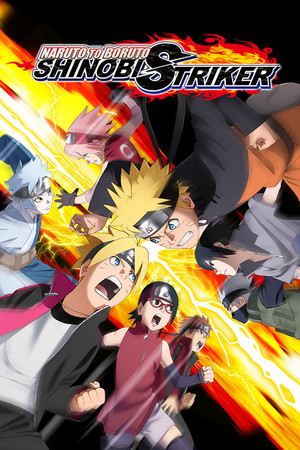
Naruto to Boruto: Shinobi Striker Cheat Codes – PC

Sélectionnez votre plateforme et votre lettre

Naruto to Boruto: Shinobi Striker Cheat Codes

Codes de triche pour Naruto to Boruto: Shinobi Striker sur PC, listés ci-dessous avec leur mode d'activation. Mis à jour le 21 août 2023 · 4 626 téléchargements.

PC
Jaquette de Naruto to Boruto: Shinobi Striker
Publicité
CONDITIONS REQUISES
Cette case doit être cochée pour activer le téléchargement.
5 secondes avant le téléchargement...
Fichier : Cheat.Engine.Naruto.zip
134.05 KB SHA-1: 23ca9e81…4725d19c
Informations
  • Auteur : YAR
  • Téléchargements : 4,626
  • Mise à jour :
  • Taille : 134.05 KB
  • SHA-1: 23ca9e8163b5da0984d8b7727042cd2f4725d19c

Fichiers texte (.txt)

Direktions how to use.txt
How to use 1. You click on the game in steam, then on Properties, go to the installed files tab and then on "browse". There you rename your normal Naruto.exe (the one with the Naruto icon) in _Naruto.exe Now you need to put the Naruto.exe from this download and put it in the same folder as the _Naruto.exe file. 2. Now you start you Naruto to Boruto normal with steam. There should be a console Window that says who wrote the script. after loading in go to the TenTen shop. 3. You simply open the Escoteric Scroll.CT file. For that you obviously need Cheat engine installed. 4. Now you should be in the cheat engine menu. You need to select your game on the top left PC icon. It will ask you if you want to keep the curent List/Items and you click yes. 5. At the bottom it should say "Escoteric Scroll" some Adress, the Type and the Value. The Value is the only thing that should interest you. When its a "??" then this cheat is outdated :( But if it says some number (the number of your Escoteric Scroll´s) then everything is allright. Simply edit this number in whatever you want and then simply open any Scroll (doesnt matter what Scroll) Now the number of Scrolls should be updated :) Thanks to !! John FK !! for the Anticheat bypass


...Vous trouverez le reste de ces informations dans : Direktions how to use.txt
si vous téléchargez ce fichier : Cheat.Engine.Naruto.zip
Trainers City

Fichiers d'information (.nfo)

Nom du fichier : Trainers.nfo


█▓▓▓▓▓▓▓▓▓▓▓▓▓▓▓▓▓▓▓▓▓▓▓▓▓▓▓▓▓▓▓▓▓▓▓▓▓▓▓▓▓▓▓▓▓▓▓▓▓▓▓▓▓▓▓▓▓▓▓▓▓▓▓▓▓▓▓▓▓▓▓▓▓▓▓█ █▓▒▒▒▓█████▓█████▓█████▓█▓█▓▓▓█▓█████▓█████▓█████▓▓▓▓████▓█▓█████▓█▓▓▓█▓▒▒▒▓█ █▓▒ ▓▓▓█▓▓▓█▓▓▓█▓█▓▓▓█▓█▓██▓▓█▓█▓▓▓▓▓█▓▓▓█▓█▓▓▓▓▓▓▓▓█▓▓▓▓█▓▓▓█▓▓▓▓█▓█▓▓ ▒▓█ █▓ ▓▓▓█▓▓▓█████▓█████▓█▓█▓█▓█▓████▓▓█████▓█████▓██▓█▓▓▓▓█▓▓▓█▓▓▓▓▓█▓▓▓ ▓█ █▓▒ ▓▓▓█▓▓▓█▓▓█▓▓█▓▓▓█▓█▓█▓▓██▓█▓▓▓▓▓█▓▓█▓▓▓▓▓▓█▓▓▓▓█▓▓▓▓█▓▓▓█▓▓▓▓▓█▓▓▓ ▒▓█ █▓▒▒▒▓▓▓█▓▓▓█▓▓▓█▓█▓▓▓█▓█▓█▓▓▓█▓█████▓█▓▓▓█▓█████▓▓▓▓████▓█▓▓▓█▓▓▓▓▓█▓▓▓▒▒▒▓█ █▓▓▓▓▓▓▓▓▓▓▓▓▓▓▓▓▓▓▓▓▓▓▓▓▓▓▓▓▓▓▓▓▓▓▓▓▓▓▓▓▓▓▓▓▓▓▓▓▓▓▓▓▓▓▓▓▓▓▓▓▓▓▓▓▓▓▓▓▓▓▓▓▓▓▓█ █▓▓▓▓░░░ Trainers City ░░░▓▓▓▓▓█ █▓▒▒▒ - The Bible Trainers - ▒▒▒▓█ █ ■■■■■■■■■■ ■■■■■■■■■■ █ █ █ █ This trainer doesn't work with your game? █ █ Read the FAQ or write to the author! █ █ https://www.trainerscity.com/en/help (In English) █ █ https://www.trainerscity.com/fr/help (In French) █ █ █ █ ■■■■■■■■■■ ■■■■■■■■■■ █ █ █ █ Try the forums of Trainers City in French and......

...Vous trouverez le reste de ces informations dans : Trainers.nfo,
si vous téléchargez ce fichier : Cheat.Engine.Naruto.zip
Trainers City


Comment utiliser ce trainer pour Naruto to Boruto: Shinobi Striker Cheat Codes

Pour activer le trainer Naruto to Boruto: Shinobi Striker Cheat Codes, commencez par lancer le jeu. Une fois en jeu (menu principal ou en partie), exécutez le fichier trainer en tant qu'administrateur (clic droit → Exécuter en tant qu'administrateur). La fenêtre de contrôle du trainer s'ouvre : chaque option (vie infinie, munitions illimitées, ressources, etc.) s'active via la touche clavier indiquée. Si le trainer ne se connecte pas au jeu, essayez de le lancer avant le jeu, ou vérifiez que votre version correspond bien à celle indiquée dans le nom du fichier.

FAQ

Non, c'est un faux positif classique. Les trainers PC fonctionnent en injectant du code dans la mémoire du jeu, ce qui ressemble techniquement à un comportement de malware. Chaque fichier publié sur Trainers City est vérifié manuellement avant mise en ligne. En cas de doute, consultez notre page Alerte Virus.

Vérifiez que votre version du jeu correspond exactement à celle mentionnée dans le nom du trainer (ex. v1.0, Steam, Epic Games). Si votre build est différent, recherchez un trainer correspondant à votre version dans la liste complète de la plateforme.

Cela dépend du trainer. La règle générale : lancez d'abord le jeu jusqu'au menu principal, puis le trainer. Si le trainer ne se connecte pas, essayez l'inverse. Le fichier .nfo inclus dans l'archive précise souvent l'ordre recommandé.

Cela dépend du jeu. Certains jeux détectent les modifications mémoire et désactivent les succès automatiquement. Pour préserver vos achievements, sauvegardez avant d'utiliser le trainer et évitez de sauvegarder après.
Ça ne fonctionne toujours pas ? Consultez notre page d'aide pour plus d'assistance.
Commentaires
Become a Patron!
Commentaires uniquement en anglais ou en français ou vos commentaires seront supprimés !


Become a Patron!