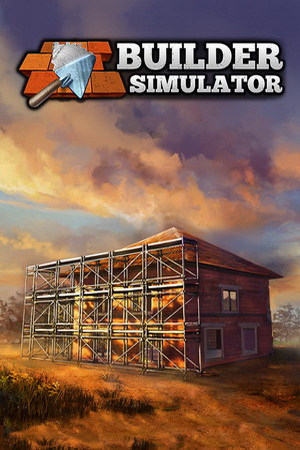
Codes de triche pour Builder Simulator sur PC, listés ci-dessous avec leur mode d'activation. Mis à jour le 19 février 2023 · 2 325 téléchargements.
PC
Publicité
Codes de triche uniquement
Cet article contient uniquement des codes de triche. Aucun fichier à télécharger.
Informations
Auteur :DAV
Téléchargements :
2,325
Mise à jour :
Codes de triche
Builder Simulator
Cheat Codes:
------------
Submitted by: David K.
Tips and Tricks:
----------------
What are some building tips and tricks you've picked up since playing?
Things that may not be too obvious initially but will make it faster to
build smarter.
-=Tutorial=-
Press "Q" if you feel stuck "“ the tutorial prevents you from doing any
task but the next one, so if it looks like you should be able to do something
but can't, check the "Q" menu to see if it's expecting you to do something
else first. For example, when building the foundation, you have to buy all
materials before you're allowed to place any despite the holograms showing
up when you select the forms if you haven't bought the reinforcement yet.
Foundations
When you're carrying the wheelbarrow and the left mouse button is clicked,
you're pouring material out. If your target isn't where it should be, you're
wasting material.
You don't need to leave the cement mixer on with cement/mortar in it. Once
it's finished mixing, it doesn't harden inside of the mixer (as least that
I've seen so far), so you can shut it off immediately after it hits 100% even
though you'll get 2.5 wheelbarrows full of material.
-=Walls=-
If you're like me and used geometry to calculate the amount of concrete/mortar
being created vs. the size of the wheelbarrow, you're probably wasting a lot
of material. Each notch you turn the wheel fills the wheelbarrow 50% which
you may not notice depending on how you position the barrow.
Once you level up your foundation wall ability, you should only apply mortar
to every other block. When you place the hollow blocks, you place 2 at a time
and automagically add mortar to the second.
On Contract #4, you're not finding where to apply the mortar because you're
supposed to build a second story. Starting with the ceiling made me wonder if
the contract was bugged and already added the walls, but eventually tried
putting up a scaffolding and discovered all the holograms on top of the ceiling
I'd just placed.
-=Getting High=-
The work platforms don't actually cost you money to place. You also don't get
any money when selling them. Apply liberally!
Jump building can be faster than placing a work platform or scaffolding, but
it depends on what you're doing and your mouse skills.
Applying mortar is typically faster with a work platform. If you have 1 last
bit to do, jumping is generally faster than moving a platform "“ the best way
to do it is to get up against the wall, look down and jump so you maximize your
click time when trying to apply the mortar.
Brick placing is generally faster jumping than moving a work platform around
for me. The bricks are large and you have a larger opportunity to click the
mouse in your jump to place them than you do with the thin strip of mortar.
-=Doors and Windows=-
Assembly line type setup is much faster than completing each individually.
First get a count, buy everything, then place all the windows and doors.
Following that, switch to the drill and take care of all the screws. Next,
take care of the windows' wedges and interior windowsills (both done with the
hand), then exit the building and add the wedges to the doors and take care of
the windows' exterior windowsills. It'll knock several minutes off of your
building process!
-=Roofs=-
Your reach is EXTREMELY far when working on roofs as opposed to other areas.
You can typically place everything you can see on screen without having to
move and generally don't need scaffolding. That may not be true of two story
buildings "“ I'm in the process of building my first and haven't gotten to the
second floor yet.
-=Contracts=-
Your budget doesn't carry over "“ it's a set amount for working on that contract
and doesn't seem to influence any other contract.
Comment utiliser les codes de triche Builder Simulator Cheat Codes sur PC
Pour Builder Simulator Cheat Codes sur PC, les codes de triche listés ci-dessus s'utilisent directement en jeu, sans trainer ni logiciel tiers. Selon le jeu, ouvrez la console de commandes (souvent via la touche ², ~ ou Échap), saisissez le code indiqué puis validez avec Entrée, ou utilisez la combinaison de touches précisée pendant la partie. Certains codes nécessitent d'activer au préalable le mode triche dans les options du jeu. Vérifiez que votre version du jeu correspond à celle pour laquelle les codes ont été testés.
FAQ
Non. Ces codes sont intégrés au jeu et s'activent via la console de commandes ou une combinaison de touches, sans trainer ni logiciel tiers à télécharger.
Non, dans la grande majorité des cas. Ces codes sont réservés au mode solo / hors ligne et peuvent être désactivés ou bannis en ligne.
Vérifiez que votre version du jeu correspond à celle pour laquelle le code a été testé, que la console de commandes ou le mode triche est bien activé dans les options, et que vous respectez l'orthographe exacte du code.
Souvent oui. L'activation d'un code de triche désactive généralement les succès pour la session en cours. Sauvegardez votre partie avant d'entrer un code si vous souhaitez conserver vos trophées.
Ça ne fonctionne toujours pas ? Consultez notre page d'aide pour plus d'assistance.