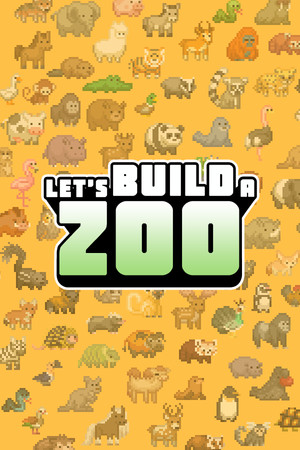
Codes de triche pour Let's Build a Zoo sur PC, listés ci-dessous avec leur mode d'activation. Mis à jour le 10 octobre 2022 · 3 482 téléchargements.
PC
Publicité
Codes de triche uniquement
Cet article contient uniquement des codes de triche. Aucun fichier à télécharger.
Informations
Auteur :DAV
Téléchargements :
3,482
Mise à jour :
Codes de triche
Cheat Codes:
------------
Submitted by: David K.
Useful Tips and Tricks:
-----------------------
Tips and Tricks for Best Start
-=UI / Text scale=-
There's a way to scale the text in the options by x1, x1.5 and x2. There's
also different resolutions, of course, so you could look to fiddle with the
resolutions until you've got one that displays the text in a way that reads
good to you.
The main menu in the game only allows you to continue or load game.
Is it possible to start another game?
* Load game allows you to make up to 10 games.
-=How to rotate buildings?=-
Right-click should rotate them!
-=How to move objects?=-
If you click on the object, there should be an option to move it and an
option to delete it, down near where the build menu is. If you can't click
on the object because the another building shed is blocking it, change the
design of the building shed.
-=How to adjust hours of zoo?=-
Research lights/lamps. It increases it by one hour.
-=How to move animals around=-
If you'd click on an animal, you'll see a move button in the bottom right
of their panel. You can choose to move multiple animals at that point.
-=Farming purpose=-
You can eventually produce your own food for feeding animals, you can
also manufacture materials for your shops.
-=How to see which habitat animals suit best?=-
* When you are trading for an animal from another zoo or buying it from
the shelter, there is a little habitat icon nearby that shows you what
the ideal enclosure type is.
* If you get an animal and you're not sure which enclosure type is best,
use the "move" button and click on other types of enclosure. You don't
have to actually move the animal around, the game will show you how much
the animal would like that enclosure before you move it. If there is a
heart under "habitat" then that's it's ideal one.
-=Sell animals=-
* There are lots of options for getting rid of your animals. If you are
playing "good" then you can donate them for a small fee or release them
back into the wild when you get the conservation facility. If you're
playing evil you can sell the animals to black market dealers or euthanize
them and use their body parts in your factories.
* Alternatively you can just stop breeding so many animals by using the
contraception button to prevent them from getting pregnant.
-=How to get bigger buses=-
* Filter your research tree to Transport and look for the pink solid covered
squares. Not the ones that look like busses/trains, just the solid pink
square. Unlock those and you get new bus options.
* After that You need to click on the entrance to your zoo and then select
transport. There you can see the different routes that you can bus can take.
You can click Edit on each route and then "Order More" at the bottom to add
a bus to that route.
-=How can know what are the unoptimized structures?=-
So an unoptimized building, is one that isn't fully fully utilized to its
full potential. If you click on a building in your zoo that does work "” eg
burning dead animals "” you'll see that it has a variety of statuses in that
information panel. If a building isn't running all of the time, it'll tell
you that it's being underutilized. Hope that helps!
-=How to hire janitors=-
* Click on the entrance building.
* Click Park Staff.
* Click on the magnifying glass next to janitor.
* Click the + tab in the top left of the popup that appeared.
-=Solution for animals keepers not feeding animals problem=-
* Check if your staff are assigned to the enclosures, also may want to check
the employee's work ethic as a low one will only get to one maybe two pens
a day, as they work slower.
* Also make sure your zookeepers aren't blocked either getting into pens, or
getting to the storeroom! It's very likely you've accidentally put down some
scenery that has blocked their pathway. If you continue to have issues, you
can try moving the storeroom too.
Comment utiliser les codes de triche Let's Build a Zoo Cheat Codes sur PC
Pour Let's Build a Zoo Cheat Codes sur PC, les codes de triche listés ci-dessus s'utilisent directement en jeu, sans trainer ni logiciel tiers. Selon le jeu, ouvrez la console de commandes (souvent via la touche ², ~ ou Échap), saisissez le code indiqué puis validez avec Entrée, ou utilisez la combinaison de touches précisée pendant la partie. Certains codes nécessitent d'activer au préalable le mode triche dans les options du jeu. Vérifiez que votre version du jeu correspond à celle pour laquelle les codes ont été testés.
FAQ
Non. Ces codes sont intégrés au jeu et s'activent via la console de commandes ou une combinaison de touches, sans trainer ni logiciel tiers à télécharger.
Non, dans la grande majorité des cas. Ces codes sont réservés au mode solo / hors ligne et peuvent être désactivés ou bannis en ligne.
Vérifiez que votre version du jeu correspond à celle pour laquelle le code a été testé, que la console de commandes ou le mode triche est bien activé dans les options, et que vous respectez l'orthographe exacte du code.
Souvent oui. L'activation d'un code de triche désactive généralement les succès pour la session en cours. Sauvegardez votre partie avant d'entrer un code si vous souhaitez conserver vos trophées.
Ça ne fonctionne toujours pas ? Consultez notre page d'aide pour plus d'assistance.