MechWarrior 5: Mercenaries 1.1.328 Trainer +31 (Aurora) – PC

Sélectionnez votre plateforme et votre lettre

MechWarrior 5: Mercenaries 1.1.328 Trainer +31 (Aurora)

MechWarrior 5: Mercenaries 1.1.328 Trainer +31 (Aurora) est un trainer PC pour MechWarrior 5: Mercenaries 1.1.328, créé par Cheat Happens. Il ajoute 31 options de triche, détaillées ci-dessous. Il s'utilise via l'application Aurora de Cheat Happens. Mis à jour le 22 juillet 2022 · 3 346 téléchargements · usage solo uniquement.
PC
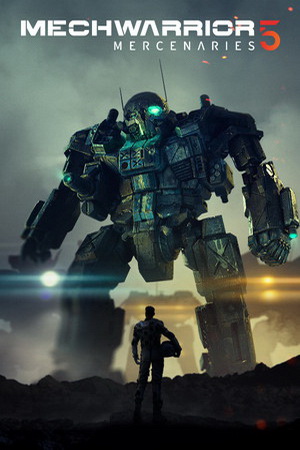
Jaquette de MechWarrior 5: Mercenaries 1.1.328
Publicité
Codes de triche uniquement

Cet article contient uniquement des codes de triche. Aucun fichier à télécharger.

Informations
  • Auteur : CHA
  • Téléchargements : 3,346
  • Mise à jour :
Aurora

Télécharger Aurora maintenant pour MechWarrior 5: Mercenaries Trainer sur Cheat Happens! Vous avez déjà Aurora? Ouvrez ce trainer dans Aurora et commencez à tricher maintenant ! Voulez-vous en savoir plus sur Aurora ?

Aurora peut être utilisé gratuitement par les INVITÉS et les MEMBRES, avec de nouveaux trainers en ACCÈS LIBRE chaque semaine !

Présentation Aurora

Codes de triche

MechWarrior 5 Mercenaries by cheathappens.com
-------------------------------------------------------


Activating this trainer
-------------------------------------------------------
If not state otherwise below, press F1 at main menu.
Listen for 'Trainer Activated'.
Press desired hotkey. All hotkeys can be changed on the trainer.


Trainer Options
-------------------------------------------------------
# Combat Mech
NumPad1: Unlimited Armor
NumPad2: No Heat Generation
NumPad3: Unlimited Jump Jet

# Mech Weapon
NumPad4: Unlimited Ammo
NumPad5: Unlimited Ammo More Weapons
NumPad6: Fast Cooldowns

# Combat Mission
NumPad7: Unlimited Mech Tonnage in Bay and Combat
NumPad8: Unlimited Mission Drop Tonnage

# Mech Construction
NumPad9: Instant Repair and Loadout Bots in Bay

# Gameplay
Multiply: Game Speed


Editor Options
-------------------------------------------------------
# Currency
Current Funds

# Mission
Negotiation Points Left

# Mech Current Structure Value Stats
Head Current Structure
Center Torso Current Structure
Left Torso Current Structure
Right Torso Current Structure
Left Arm Current Structure
Right Arm Current Structure
Left Leg Current Structure
Right Leg Current Structure

# Mech Current Armor Value Stats
Head Front Armor
Center Torso Front Armor
Left Torso Front Armor
Right Torso Front Armor
Left Arm Front Armor
Right Arm Front Armor
Left Leg Front Armor
Right Leg Front Armor
Center Rear Armor
Left Torso Rear Armor
Right Torso Rear Armor
Head Front Armor
Center Torso Front Armor
Left Torso Front Armor
Right Torso Front Armor
Left Arm Front Armor
Right Arm Front Armor
Left Leg Front Armor
Right Leg Front Armor
Center Rear Armor
Left Torso Rear Armor
Right Torso Rear Armor


Notes
-------------------------------------------------------
Works Different!
For the EDITOR and MECH STATS, this is when you are editing the loadout of the mech. To see the values fill in:
Enter a Computer
Click Battlemechs
Select a Mech
The values fill in the editor.
Change values

You can make a super Mech this way, and bring it into combat.

Make sure you have Plenty of Funds to pay for it, and Instant Repair and Loadout activated so that STARTING the process will be instant or much quicker.

Bots may reset after combat, especially if Unlimited Weight In Bay is not activated.

Unlimited Armor:
Toggle on and your armor takes damage but regenerates such that it's unlimited. You may see some changes to the display of the armor, but it's unlimited.

No Heat Generation:
Toggle on and you generate no heat. Useful when Fast Cooldowns are on.

Unlimited Jump Jet:
Toggle on for effect.

Unlimited Ammo:
Toggle on and most weapons that use ammo have unlimited. May not work with all weapon types.

Unlimited Ammo More Weapons:
Toggle on to help with ammo decrease of some other weapons that the first option may not work for. May not work with all weapon types.

Fast Cooldowns:
Toggle on and most weapons are ready to fire much more quickly than if this was not on.

Instant Repair and Loadout Bots in Bay:
Toggle this on and when you REPAIR or CHANGE THE LOAD OUT, you will see that the time is set to 0. You may have to leave and do something with the map to clear the bot for use.

Game Speed:
Toggle on to affect the game speed.

Current Funds:
Enter one of the computer terminals where you can purchase things from the Market, then note the value fills in. You can edit it then press TAB to lock it in.

Negotiation Points Left:
When you are about to begin a mission you have negotiation points. Toggle this on then spent a point, then unspend it, then you can change this value to give you more. DO NOT FREEZE this value.


====================================================================

Mute Hotkeys:
-------------------------------------------------------
To temporarily disable the Hotkeys, press CTRL-H after trainer is
activated. You can use CTRL-H to re-activate the Hotkeys as well.
You can also mute specific hotkeys by changing the hotkey you want to mute to 'NONE'.


Troubleshooting
-------------------------------------------------------
Requirements:
Aurora: https://www.cheathappens.com/trainers.asp

Support:
https://www.cheathappens.com/support.asp


AUTHENTICITY NOTICE:
-------------------------------------------------------

PLEASE REVIEW OUR PRIVACY POLICY AT HTTPS://WWW.CHEATHAPPENS.COM/PRIVACYPOLICY.ASP

Get more trainers and updates at http://www.cheathappens.com

Comment utiliser le trainer MechWarrior 5: Mercenaries 1.1.328 Trainer +31 (Aurora)

⚠️ Important : ce trainer fonctionne exclusivement via Aurora, l'application officielle de Cheat Happens. Il ne s'agit pas d'un trainer autonome à exécuter — toutes les options (vie infinie, munitions, etc.) sont gérées directement dans l'interface Aurora.

Si vous n'avez pas encore Aurora : téléchargez et installez l'application Aurora depuis le site officiel de Cheat Happens. Une fois installé, lancez Aurora puis recherchez le trainer MechWarrior 5: Mercenaries 1.1.328 Trainer +31 (Aurora) dans le catalogue.

Si Aurora est déjà installé : cliquez simplement sur le lien Aurora proposé sur cette page — il ouvrira automatiquement le trainer dans l'application.

Lancez ensuite votre jeu et activez les options souhaitées depuis l'interface Aurora avec les raccourcis clavier indiqués.

Aurora est gratuit pour les invités et les membres, avec de nouveaux trainers FREE PASS disponibles chaque semaine.

FAQ

Aurora est l'application officielle de Cheat Happens qui remplace les anciens trainers .exe autonomes. Le trainer et toutes ses options fonctionnent uniquement dans Aurora — il n'y a pas de fichier exécutable séparé à lancer. Si Aurora est déjà installé, le lien de cette page l'ouvrira directement. Sinon, téléchargez Aurora ici.

Non, Aurora est gratuit pour les invités et les membres, avec de nouveaux trainers FREE PASS disponibles chaque semaine. Un abonnement payant Cheat Happens donne accès au catalogue complet, mais l'application elle-même reste gratuite.

Non, c'est un faux positif classique. Les trainers fonctionnent en injectant du code dans la mémoire du jeu, ce qui ressemble techniquement à un comportement de malware. Aurora et ses trainers sont publiés officiellement par Cheat Happens. En cas de doute, consultez notre page Alerte Virus.

Ouvrez Aurora et chargez le trainer en premier, puis lancez le jeu. Aurora détectera automatiquement le processus du jeu et vous pourrez activer les options via les raccourcis clavier affichés dans l'interface.
Ça ne fonctionne toujours pas ? Consultez notre page d'aide pour plus d'assistance.
Contenu similaire

Aucun contenu similaire trouvé

Commentaires
Become a Patron!
Commentaires uniquement en anglais ou en français ou vos commentaires seront supprimés !


Become a Patron!








